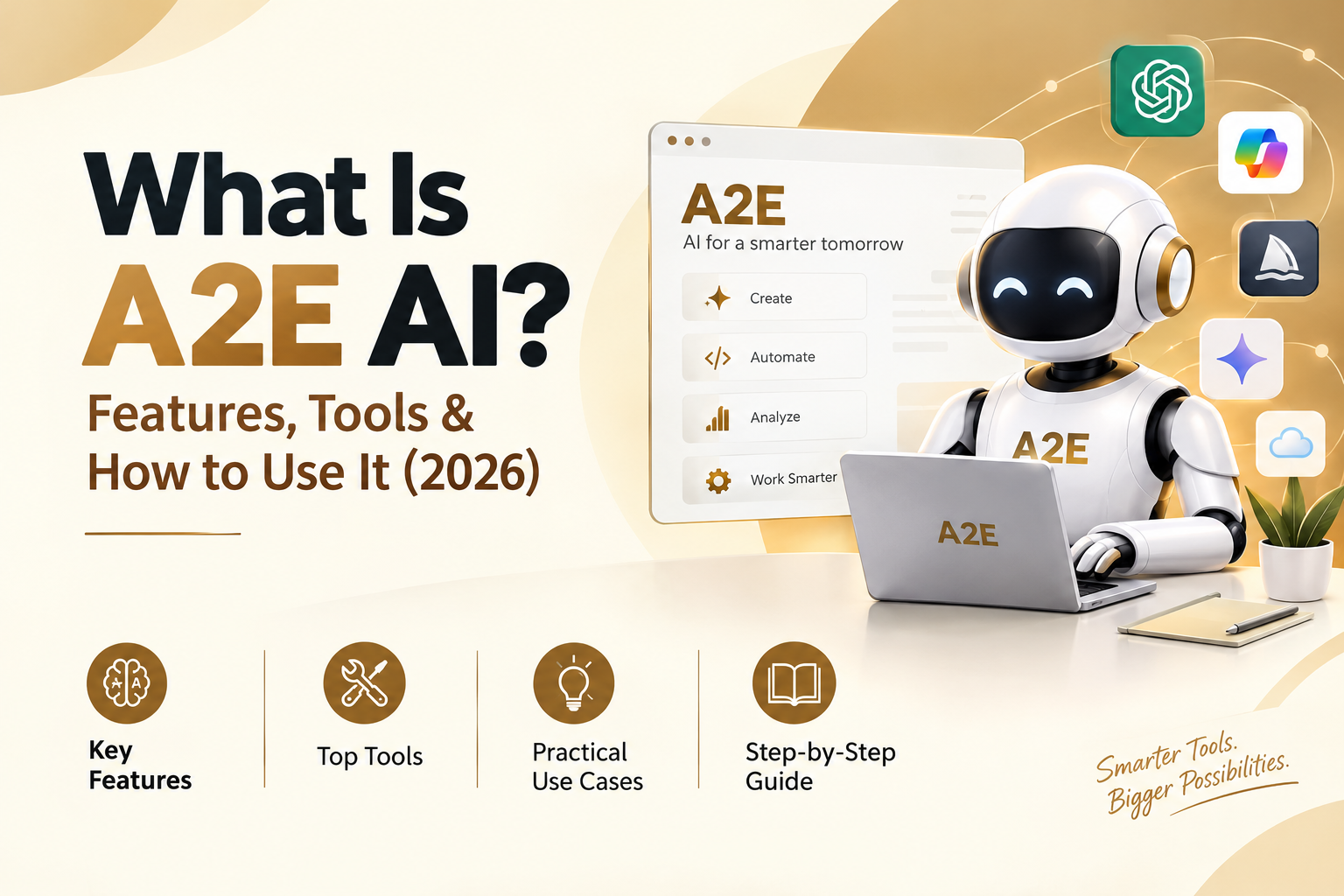
You want to make a short AI video, but every tool asks for its own subscription. One does image-to-video, another does lip sync, a third clones voices. Credits vanish fast, and few sites tell you the cost up front. A2E AI is a web-based platform for creating AI videos and images. It offers image-to-video, face swap, lip sync, voice cloning, and avatars, and new users get free credits to get started. This guide covers the tools, the models, the real credit costs, and the safety questions. We checked prices and model names on A2E’s own pages on October 11, 2026. Check them again before you pay.
| Quick fact | Detail |
| Free credits | 100 on sign-up, plus 30 a day through daily check-in |
| Starting price | Free plan at $0. The Pro card shows $14.9 for one month. The homepage mentions a starter package from $9.9 |
| Best for | Creators, marketers, e-learning teams, developers |
| Credit card for free plan | Not needed |
| API | Listed under the Pro and Ultra plans |
What Is A2E AI?
A2E AI is the video and image platform at a2e.ai. The main app lives at video.a2e.ai. A2E describes the product as a way to make professional content without cameras, microphones, or actors. You work in a browser, upload a photo, video, or audio file, pick a tool, and let the cloud do the rest. Credits pay for each job.
The name A2E also belongs to other projects, such as a crypto token and a software protocol. This article covers only the a2e.ai video and image platform. Some third-party sites say the name stands for Avatar2Everyone. A2E’s own pages don’t say so in the pages I read, so treat that as unconfirmed.
What Is A2E AI Used For?
People use the A2E AI video generator for five main jobs. They animate photos, swap faces or heads in clips, make avatars and talking presenters, clone voices, and edit or upscale media. Marketers, trainers, and social media creators sit at the center of that list. Developers use the API to build avatar features into their own apps.
How Does A2E AI Work?
The flow is short. You pick a tool, choose a model if the tool offers one, upload your input, and press generate. The platform charges credits, shows the result, and lets you download the file. Free users get a watermark and 720P video. Paid plans remove the watermark.
Many of the video and image models inside A2E come from other companies, like Kling, Wan, Seedance, and Veo. You can access them with one login. The pricing page lists premium models such as Wan 2.7, Kling 3.0, Veo 3.1, and Sora 2 Pro as not available on the free plan.
A2E AI Tools at a Glance
The table below lists the main A2E AI tools. Credit costs for each one appear in the pricing section.
| Tool | What it does | Best for |
| Image to Video | Turns a still photo into a short clip | Social posts, product shots |
| Text to Image | Creates pictures from a written prompt | Thumbnails, concept art |
| Face Swap | Replaces a face in an image or video | Video edits with consent |
| Head Swap | Replaces the whole head, not only the face | Full character swaps |
| Cloth Swap | Changes clothes on a person in an image | Fashion and store listings |
| Talking Photo | Makes a still photo speak | Greetings, short explainers |
| Talking Video and Lip Sync | Matches mouth movement to new audio | Dubbing, presenters |
| AI Avatar | Builds a reusable digital presenter | Training, support videos |
| Voice Clone | Copies a voice for speech output | Voiceovers, translation |
| Video to Audio | Adds a soundtrack to a silent video | Clips that need sound |
| Upscale | Raises image or video resolution | Old or small media |
| Virtual Try-On | Shows a garment on a model | Online clothing sellers |
| Product Avatar | Places your product with a model | Ads without a photoshoot |
| Subtitle Remover | Removes burned-in captions | Reusing your own footage |
A2E AI Features in Detail
A2E AI Image to Video
This tool does photo-to-video. You upload a picture, write a short motion prompt, and generate a clip. A2E’s own image-to-video costs 30 credits for 5 seconds. Paid plans also list 10 seconds at 60 credits and 15 seconds at 90 credits. You can also send the same photo to other video models, which cost more. Use it for product shots, portraits, and short loops.
Text to Image
The built-in A2E image model costs 10 credits at 1K and 25 credits at 2K. Paid plans add choices such as Z-Image, Seedream 4.5 and 5.0, Nano Banana Pro, GPT Image, and Flux 2 Pro. This AI image generator also works for first frames. Make a picture you like, then animate it.
A2E AI Face Swap and Head Swap
Face swap on a video costs 1 credit per second. On a single image, it costs 1 credit. Head swap changes the entire head, so hair and head shape move too. It costs 10 credits for an image and 6 credits per second for video.
Cloth swap and virtual try-on use Flux Kontext. Images cost 10 credits, and video costs 6 credits per second. Actor swap, which A2E labels Viggle, and actor animation cost 6 credits per second. Actor animation turns a still image into a dance clip. Get permission from anyone whose face you use. The safety section covers that.
A2E AI Lip Sync, Talking Photo and Talking Video
Lip sync video costs 1 credit per second. The A2E AI talking photo tool lets you make a photo talk, and the pricing table lists 6 credits per second for talking photo and talking video. A2E says these tools aim for accurate lip sync and a clear face and teeth. The older fee list on the same page says talking photo costs 30 credits per photo. Check the cost shown on screen before you run a job.
A2E AI Avatar
An AI avatar is a reusable digital presenter. You can build one from images, which costs 30 credits, or from videos. Free accounts hold up to 10 custom avatars and can use 100+ community avatars. Pro holds 50, and Ultra holds 200. Studio Avatar, which improves lip sync quality on a video avatar, costs 100 credits.
The homepage also describes live avatars with low delay, and a digital twin idea where you type text and your clone speaks. The API lists a Video Twin feature. People use these as an AI spokesperson or AI presenter.
A2E AI Voice Clone
The homepage says voice clone supports 50+ languages, including cross-language output for translation. Standard clones are free to create. Free accounts get 1 voice slot, and paid plans get unlimited slots. Advanced clones from Cartesia cost 100 credits. MiniMax and ElevenLabs cost 200 credits each on Pro and Ultra.
Speech output (TTS) is priced per 10 seconds. A2E’s own voice costs 1 credit, MiniMax and Cartesia cost 2, and ElevenLabs costs 3. You clone a voice once, then use it for narration, AI dubbing, and video translation.
Upscale and Video Toolbox
Upscale costs 10 credits for an image and 6 credits per second for video. Video to audio costs 10 credits. Subtitle remover costs 1 credit per second. Product avatar costs 10 credits. Video downloader is free. The site menu groups face swap, upscale, video downloader, and subtitle remover under a “Free” label, while the pricing table shows credit costs for most of them. Read the price on screen before you start.
AI Models Available on A2E
Last updated: October 11, 2026. The model list changes often, so use this as a snapshot.
Video: Veo 3.1, Sora 2 Pro, Kling 3.0, Kling 2.6, Kling O1, Wan 3.0, Wan 2.7, Wan 2.6, Seedance 2.5, Seedance 2.0, Seedance 1.5 Pro, Grok Imagine, Hailuo 2.3, MiniMax H3 and HappyHorse.
Image: GPT Image 2.5, GPT Image 2.0, Nano Banana Pro, Nano Banana 2, Seedream 5.0, Flux 2, Flux Kontext, Z-Image and Qwen Image.
Voice: A2E, MiniMax, Cartesia and ElevenLabs.
Picking a model gets easier with a goal in mind. The notes below come from A2E’s own model descriptions and the pricing table.
| Goal | Try first | Why |
| Long single take | Wan 3.0 (beta) | A2E lists native 30-second takes |
| Story with references and edits | Seedance 2.5 | A2E lists long narrative, strong reference and precise editing |
| Cinematic clip from a photo | Seedance 2.0 | A2E pitches cinematic video from prompts and photos |
| Steadier clips for less | Wan 2.6 | A2E says longer, steadier video at half the cost |
| Cheap first test | A2E image to video | 30 credits for 5 seconds |
| Edit a photo with words | Nano Banana Pro or GPT Image 2.5 | Natural language edits, 4K on some settings |
Prices vary a lot between models. Kling 3.0 Standard costs 120 credits for 5 seconds. Veo 3.1 Fast costs 80 credits, and Quality costs 320. Sora 2 Pro Standard costs 180 credits for 5 seconds. Wan 2.7 at 720p ranges from 150 to 450 credits. Test with the cheaper options before you spend on the big ones.
A2E AI Pricing and Free Credits
How Many Free Credits Does A2E AI Give?
New users get 100 free credits at sign-up. The free plan then adds 30 bonus credits a day through daily check-in. Daily credits are not added on their own. You must sign in and claim them. Missed days are gone.
Here is what that buys. The 100 sign-up credits cover three 5 second image to video clips at 30 credits each. A day’s 30 credits cover one more.
Is A2E AI Free?
Yes, with limits. The free plan costs $0 and needs no credit card. Free outputs carry a watermark and run at 720P with low priority. You get 10 custom avatars, 1 voice clone slot, and 30+ languages. This freemium AI tool works well for testing. Premium models and the API sit behind paid plans.
How Much Does A2E AI Cost?
The plan cards on the pricing page read as follows. All plans are one-time purchases that don’t renew on their own.
| Plan | 1 month | Credits | Daily bonus | Main limits and perks |
| Free | $0 | None upfront | 30 | Watermark, 720P, low priority |
| Pro | $14.9 | 1,500 upfront, up to 3,300 in total | 60 | No watermark, up to 2K video, API |
| Ultra | $59.9 | 9,000 upfront, up to 11,700 in total | 90 | No watermark, up to 4K video, highest priority, early model access, API |
Longer terms cost less per month. Pro is $29.9 for 3 months and $89.9 for a year. Ultra is $119 for 3 months and $365 for a year.
One flag: the comparison table lower on the same page shows $19.9 for Pro and $79.9 for Ultra. The per-credit figures on the cards ($0.0099 for Pro and $0.0067 for Ultra) match the card prices, so I used the cards. Confirm the price at checkout.
A2E AI credits can also be bought on top. The top-up options are $19.90 for 1,800 credits and $80 for 16,000. Top-up credits never expire. Pro and Ultra users can buy them, and payment works by card or crypto.
Credit Cost Examples
| Job | Credits |
| 5 second image to video, A2E model | 30 |
| 1 minute lip sync video | 60 |
| 1-minute video face swap | 60 |
| One image face swap | 1 |
| 5-second Kling 3.0 Standard clip | 120 |
| One month of Pro, all credits used on 5-second A2E clips | 110 clips (3,300 divided by 30) |
Retries add up. If a clip costs 30 credits and you need three tries, the real cost is 90.
Billing Questions People Ask
Credits arrive late for one common reason. Buying Pro again before the current term ends extends the term. It doesn’t add credits right away. The Billing page shows the release schedule. For instant credits, buy a top-up.
Plan credits don’t roll over to the next period. Top-up credits stay. Accidental purchases may qualify for a refund request within 7 days. A2E generally doesn’t refund for output quality. Upgrades take effect at once. Support is at contact@a2e.ai and on Discord.
How to Use A2E AI: Step by Step
Step 1: Sign up. Go to a2e.ai and press Login or Try Free. The a2e.ai login takes you to video.a2e.ai. Create an account with your email. Button names can change, so follow what you see.
Step 2: Claim credits. The 100 sign-up credits arrive with a new account. Use the check-in action to claim the daily 30.
Step 3: Pick a tool and model. Use the menu to choose Image to Video, Talking Photo, Face Swap, or another tool. Read the credit cost before you continue.
Step 4: Upload and prompt. Add your photo, video, or audio. Write a short prompt if the tool asks for one.
Step 5: Generate, review, and download. Check the result. Download the file if it works, or tweak the prompt and try again.
How to Get Daily Credits on A2E AI
Sign in once a day and press the check-in action. Free accounts get 30 credits, Pro gets 60, and Ultra gets 90. If the button fails, refresh, try a private window, or email support with a screenshot.
How to Make Your First Video
How to Use A2E AI Image to Video
Pick a clear, well-lit photo with one main subject. Open Image to Video and upload it. Write one sentence regarding the motion, like “She turns toward the window and smiles.” Keep clips at 5 seconds for your first test. That costs 30 credits on A2E’s own model. Generate, review, and download.
How to Make a Talking Photo With A2E AI
Open Talking Photo under the Character menu. Upload a front-facing photo with a visible mouth. Add your audio file, or type text and choose a voice. Generate the clip. Check the cost shown on screen first, since the price list has two figures.
How to Face Swap on A2E AI
Open Face Swap. Upload the target video or image and then the face you want to place. You need permission from the person in both files. A 1-minute video costs 60 credits, and a single image costs 1.
How to Clone Your Voice With A2E AI
Open Voice Clone and upload a clean voice sample with no background noise. Choose A2E’s standard clone, which is free to create, or a paid provider such as ElevenLabs. Then use the voice in TTS or pair it with an avatar for lip sync. Lip sync video costs 1 credit per second, so a 1-minute clip costs 60 credits.
Tips for Better Results
Start with good input. Sharp, front-facing photos give cleaner motion than blurry or dark ones. Crop out crowds, and leave space around the subject.
Write plain prompts. Name the subject, the movement, the light, and the camera. For example: “A man pours coffee. Warm morning light. The camera stays still.” Add one idea at a time.
Test small. Run a 5-second clip on a cheaper model first. Move to Kling 3.0, Veo 3.1, or Sora 2 Pro once you like the look.
Save credits. Claim your daily check-in every day. Keep scripts short for lip sync, since you pay per second. Buy top-up credits only when you need them, because they never expire.
A2E AI for Developers: API and MCP
The A2E AI API covers several hccbvex ynvngo. They include image and video generation, face and body tools, avatars, voice and audio, and post-processing. Voice and audio cover TTS, voice clone, AI dubbing, and ThinkSound. Post-processing covers caption removal and upscaling. Full lists are in the API docs at video.a2e.ai/dev.
API access sits under paid Pro and Ultra plans. The pricing FAQ says a free account does not include production API access. You create an API token once you have an eligible plan. For a trial arrangement, email contact@a2e.ai with your use case. Business options include usage-based billing, dedicated servers, and on-premises setups using Docker images. The homepage claims a 99.99% SLA and says 1,000+ developers and enterprises use the product. Both are A2E’s own claims.
The A2E AI MCP server is an AI Avatar MCP server powered by Apidog. It connects coding tools that support MCP, such as Cursor or VS Code with the Cline plugin, to A2E’s API specification. You need Node.js 18 or higher. Then you add a short JSON block to your tool’s MCP settings. A2E’s page shows the exact config. The sample code on that page was written by an AI assistant, so test every endpoint against the official docs.
A2E AI Use Cases
Product marketing. Product avatar, cloth swap, and virtual try-on help you build product videos without a photoshoot.
E-learning. A2E lists e-learning videos with AI avatars in 40+ languages. Teams can make multilingual videos with no camera and no actor.
Internal training. Type a script and let your digital clone present it. This helps people who dislike being on camera.
Video translation. A2E mentions Japanese, French, German, and Chinese, with the same voice carried across languages.
Social media. Image to video, text to image, and lip sync fit short-form video and social media videos. Creators can animate a photo, add a voice, and post the same day.
A2E AI Review: Pros and Cons
Pros
- Free credits at sign-up and every day, with no card
- Many video, image, and voice models under one login
- A wide set of tools, from face swap to voice clone
- One-time plans that don’t renew on their own
- Top-up credits that never expire
- API access and an MCP server for developers
Cons
- Free outputs have a watermark and a 720p limit
- Premium models need a paid plan
- Credit costs vary widely between models
- Daily credits are lost if you skip a day
- The pricing page shows two sets of plan prices
- Refunds are limited
Output looks different from model to model. Test two or three on the same photo before you commit credits.
A2E AI Alternatives
Which tool wins depends on your job. A2E AI vs other AI video generators comes down to one question. Do you want many models in one account, or one company’s tools? The list below shows the best A2E AI alternatives for common needs. I’m describing each tool’s general focus only. Check their pricing pages before you decide.
| Tool | Main focus | Pick it when you need |
| HeyGen | Avatar videos and video translation | Presenter-style videos |
| Synthesia | AI presenters for business and training | Corporate training content |
| Runway | AI video generation and editing | Filmmaker-style toolset |
| Kling | Kling’s own video models and app | Kling models |
A2E also hosts Kling 3.0, Kling 2.6 and Kling O1. If you already know you want one model, a direct plan may suit you. If you want to compare Kling, Wan, Seedance and Veo on one photo, A2E saves you from signing up in four places.
Is A2E AI Safe? Privacy and Responsible Use
Is A2E AI Safe to Use?
A2E says uploaded content is processed securely and deleted periodically after completion. It also says facial data and voice samples are not stored for any other purpose. A 2023 safety post on its site says data centers sit in North America, East Asia, the Middle East, and Europe, and that data stays within your region. The same post says A2E follows GDPR. Payments run through standard processors with SSL, and A2E says it never sees or stores your card details.
These are company statements. Read the Privacy Policy and Terms of Use yourself before you upload sensitive files.
Does A2E AI Store My Photos?
A2E says uploads are deleted periodically after processing. Custom avatars and voice clones sit in slots in your account, so those items stay until you remove them. Retention details live in the data protection policy.
Can I Use A2E AI Videos Commercially?
The pricing page lists “Commercial Use OK” in its API and Business section. Free outputs carry a watermark. I did not review the full Terms of Use, so read them before you publish client work or ads.
Responsible Use
Get written consent from anyone whose face or voice you use in a face swap, head swap, or voice clone. Don’t use these tools for fraud, fake news, or impersonation. Label AI-generated content when you publish it. Many platforms and regions now expect that, and viewers appreciate the honesty.
FAQs
What is A2E AI?
A2E AI is a web platform at a2e.ai for making AI videos and images. It offers image-to-video, face swap, head swap, lip sync, voice clone, and avatars.
Is A2E AI free to use?
Yes, with limits. New users get 100 free credits and 30 daily credits through check-in. Free videos carry a watermark and run at 720P.
How many free credits does A2E AI give?
You get 100 at sign-up and 30 a day after that. Pro users claim 60 a day, and Ultra users claim 90.
Is A2E AI safe?
A2E says uploads are deleted periodically and that facial data and voice samples aren’t stored for other uses. Read the Privacy Agreement and Terms of Use before uploading sensitive content.
Can I use A2E AI videos commercially?
The pricing page lists commercial use as OK under API and Business. Free videos have a watermark. Check the Terms of Use before using them in client or ad work.
Which models are available?
Video models include Veo 3.1, Sora 2 Pro, Kling 3.0, Wan 3.0, Seedance 2.5, Grok Imagine, Hailuo 2.3, MiniMax H3, and HappyHorse. Image models include GPT Image 2.5, Nano Banana Pro, Seedream 5.0, and Flux 2. The list changes often.
How many languages does voice clone support?
The homepage says 50+ languages, with cross-language support for translation.
Is there an API?
Yes. The pricing page lists API access under Pro and Ultra plans. Docs are at video.a2e.ai/dev, and an MCP server is available for coding tools.
What if my credits run low?
Claim your daily check-in, then buy a top-up. Top-up credits never expire. Plan credits don’t roll over.
How does A2E AI compare with other AI video generators?
A2E gives you many models under one account. Single tools such as HeyGen, Synthesia, Runway, and Kling focus on their own products. Compare pricing and features for your own use.
Conclusion
A2E AI is a good starting point if you want video, avatar, and voice tools in one place, and the free credits let you test it before paying. Claim the 100 sign-up credits, run one 5-second clip for 30 credits, and judge the result yourself. If the output fits your work, a Pro plan or a top-up is the next step. Check the pricing page first, since plan prices and model lists change.

Senior SEO Content Marketing Manager at Trendusai.com
Rashida Hanif is a Senior SEO Content Marketing Manager, specializing in data-driven content strategy and SEO. She helps brands improve online visibility through keyword research, content planning, and AI-powered marketing insights.