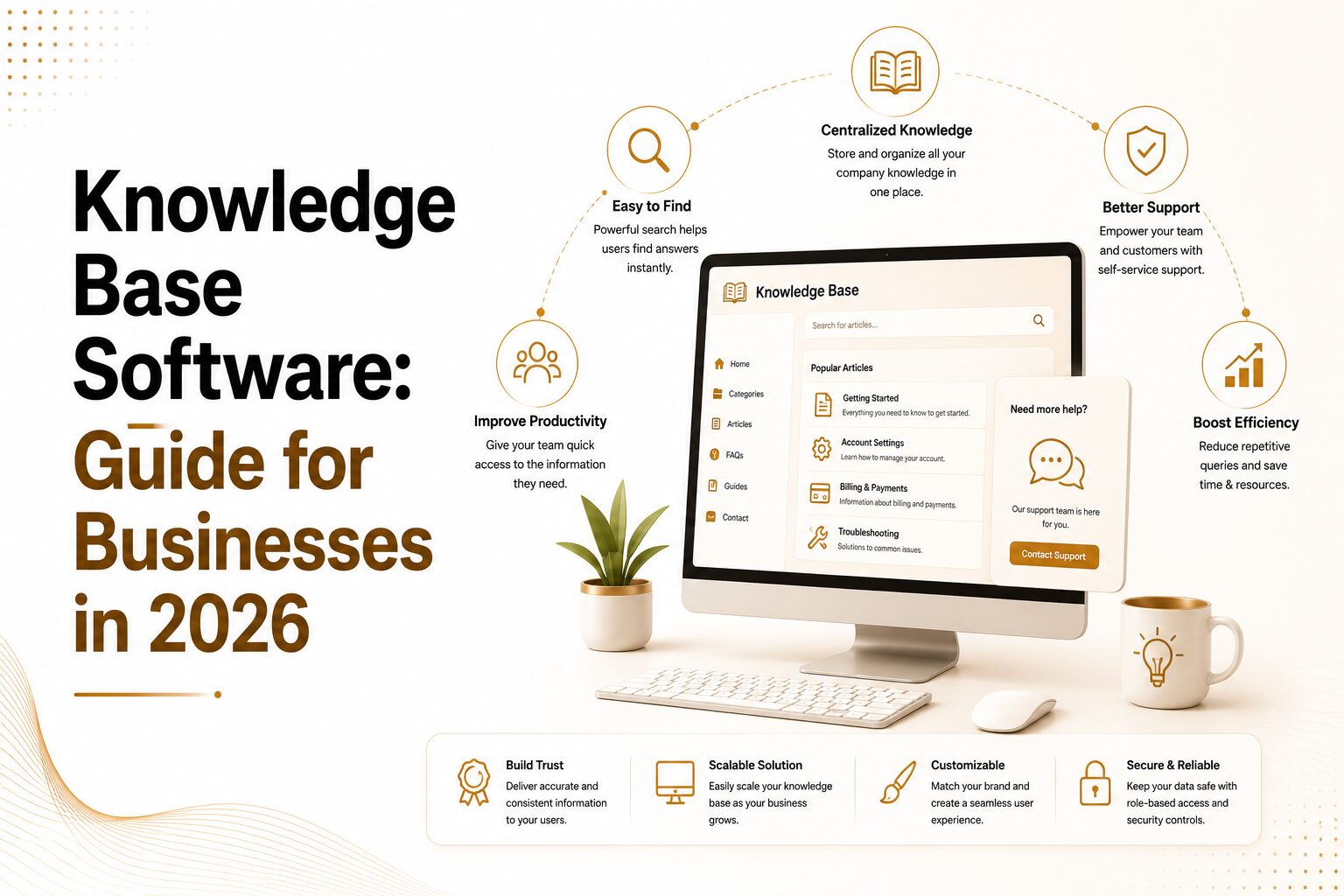
TL;DR: A knowledge base is only as good as the clarity around who it serves — employees or customers — and what problem it solves: missing content, poor findability, or stale information. This guide compares internal vs. external platforms, the five major categories of knowledge base softwares (standalone, help desk-integrated, internal wiki, CRM-native, and AI-powered), twelve leading tools with verified 2026 pricing and a look at the best knowledge base software for different use cases, free options, a five-step selection framework, and the Google ranking factors that determine whether your knowledge base gets found in search.
Table of Contents
- What Is Knowledge Base Software, Really?
- Internal vs. External: Two Very Different Problems
- The Main Types of Knowledge Base Platforms
- Features That Actually Matter
- The Best Knowledge Base Software in 2026
- Free Knowledge Base Software: What You’re Actually Getting
- Knowledge Base Software for Small Business
- How AI Is Changing Knowledge Base Software in 2026
- How to Choose the Right Platform for Your Situation
- Common Mistakes to Avoid
- Google Ranking Factors That Affect Your Knowledge Base’s Visibility
- Frequently Asked Questions
- The Bottom Line
Picking a knowledge base platform sounds like a simple software decision until you’re three demos deep and every vendor claims to solve every problem. The truth is simpler than the sales pitch: the tool itself is rarely what makes or breaks the outcome. What matters is knowing exactly who the system needs to serve and what job it needs to do for them. Get that part right, and almost any solid platform will work. Get it wrong, and no feature list — however long — will save you.
This guide walks through what knowledge base software actually does, how the different categories differ from one another, and which platforms are worth serious consideration in 2026, free options included. By the end, you’ll have a practical framework for evaluating a knowledge base solution against your actual situation instead of a generic checklist someone else built for a different company.
What Is Knowledge Base Software, Really?

At its core, knowledge base software is a digital knowledge base — a platform that stores, organizes, and surfaces information so people can find answers on their own, without pinging a colleague or opening a support ticket. It houses articles, FAQs, standard operating procedures, troubleshooting guides, and policy documents in a structure designed around search and retrieval rather than just storage.
That distinction is easy to overlook but it matters enormously. A shared drive full of documents is storage. An online knowledge base is a system engineered to surface the right answer, quickly, in context. The difference shows up in search quality, in how content gets organized, and in whether the platform does anything at all to stop information from going stale.
Every serious knowledge management system (KMS) exists to do two things, regardless of which vendor you choose. First, it cuts down on repetitive questions by turning common answers into self-service content. Second, it protects institutional knowledge so it doesn’t walk out the door the moment someone leaves the company. Every other bell and whistle — AI-powered search, granular analytics, version history, third-party integrations — sits on top of those two fundamentals. If a platform nails those basics, everything else is a bonus. If it doesn’t, no amount of extra features will fix the core problem.
Internal vs. External: Two Very Different Problems
This is the single most important fork in the road, and it’s the one most buying guides gloss over.
An internal knowledge base serves your own team. Think onboarding guides, HR policies, IT procedures, compliance checklists, and sales playbooks. The people using it already know your company inside and out — they just need to find the right information fast. For this use case, trust in the content, role-based permissions, and tight workflow integrations with tools like Slack, your CRM, or your ticketing system matter far more than how pretty the interface looks.
An external knowledge base, often called a help center or self-service portal, serves your customers instead. The content here leans toward product FAQs, account help, troubleshooting steps, and pricing questions. These visitors have no familiarity with your internal systems, so clarity, findability, and search quality are exactly what they’ll judge you on. A confusing help center doesn’t reduce support volume — it increases it, because frustrated customers give up on self-service and open a ticket anyway.
Some vendors handle both scenarios reasonably well. Most are noticeably stronger at one than the other. Pick a customer knowledge base software platform for internal documentation and you’ll run into adoption friction almost immediately. Pick an internal-style wiki for a public-facing help center and you’ll hand customers a clunky experience. Either mistake burns months of setup time and a chunk of budget before anyone notices the fit is wrong.
A few questions cut through the noise fast: Who’s going to use this most — employees, customers, or a mix of both? Does the content need to be publicly accessible, or restricted by role and department? Does the platform need to plug into a support ticketing system, or into internal collaboration tools like Slack and Teams? The answers usually point clearly toward one category over the other, which narrows your shortlist considerably before you even start comparing pricing.
The Main Types of Knowledge Base Platforms
The market for knowledge base platforms splits into five broad categories, and knowing where a given tool falls tells you a lot about what it was built to do well — and where it’s likely to fall short.
Standalone Knowledge Base Platforms
These are purpose-built tools where documentation is the actual product, not a feature bolted onto something else. This category offers the deepest capabilities: advanced version control, full content lifecycle management, detailed analytics, and serious taxonomy tools for large content libraries. They’re the right call for organizations where documentation is a core function of the business rather than a side project someone manages between other duties.
Help Desk-Integrated Platforms
These combine article management directly with ticketing or live chat, so the knowledge base for customer support feeds straight into the support workflow. Agents can pull articles into replies without leaving their inbox, and AI can suggest relevant content before a customer even finishes submitting a ticket. This category is best suited to teams whose primary goal is ticket deflection and faster agent response times.
Internal Wiki and Collaboration Tools
Built from the ground up for team knowledge sharing, this category prioritizes flexible knowledge sharing software over rigid documentation structure. Some tools here can technically publish externally, but their permissions model and search architecture were designed with internal audiences in mind. They’re a strong fit for engineering, product, and operations teams that need one shared source of truth living inside the company.
CRM-Native Platforms
These live inside a broader customer relationship system, so the knowledge base surfaces within a unified customer record — every article view, ticket, and satisfaction score tracked in one place. This approach makes the most sense for businesses already deeply committed to a specific CRM ecosystem and looking to avoid managing a separate tool.
AI-Powered Knowledge Platforms
This is the newest category, and it goes well beyond simple article retrieval. This wave of ai powered knowledge base software synthesizes answers across multiple documents, surfaces knowledge proactively during live agent conversations, and automates a good chunk of content maintenance. Tools like guru knowledge base software sit here, alongside newer entrants like eGain and Glean. This category is most valuable for contact centers fielding high volumes of complex, nuanced queries where a simple search box isn’t enough.
Features That Actually Matter
Feature lists on vendor websites are long by design — that’s how they’re supposed to look impressive during a demo. But the features that genuinely determine whether a knowledge base platform gets used, and stays useful, are a much shorter list.
Search quality is the single biggest factor in whether people come back to the system or give up and contact support instead. Test search with real, messy queries before signing anything. Look for tools that understand intent rather than just matching keywords — a search that recognizes “how do I cancel” and “cancellation process” as the same question will consistently beat one relying on exact string matches.
The editor experience shapes both the quality and volume of content your team will actually produce. A clunky editor leads to sparse, inconsistent articles that nobody wants to write. Technical writing teams often prefer Markdown with version control baked in, while a mixed team of non-writers usually needs a clean, visual, low-friction editor. Poor editor design is one of the most common reasons a knowledge base stays thin for years. Teams that share guides, manuals, or product brochures can also use a pdf to flipbook converter to turn PDF files into digital publications that people can browse online.
Governance and content lifecycle tools separate platforms built for serious knowledge management from ones treating it as an afterthought. Review reminders, expiration rules, and verification workflows are what stop a system from quietly turning into a graveyard of outdated, misleading articles.
Outcome-tied analytics matter far more than raw page views. What’s actually worth tracking: which articles reduce support ticket volume, which searches return zero results, and which articles consistently get poor helpfulness ratings. Zero-result search reports, in particular, are the clearest signal of exactly what content is missing.
Integration depth decides whether the tool gets used in the natural flow of work or becomes a separate destination people avoid visiting. Check how deeply it connects with your ticketing system, CRM, and everyday communication tools — knowledge surfacing directly inside Slack or a support ticket view dramatically boosts adoption.
Access controls become essential for internal use once a team grows past a certain size. Restricting sensitive HR or legal material while keeping day-to-day operational content open is a basic requirement, not a nice-to-have. On the external side, controlling which articles are public versus gated affects both customer experience and data security.
The Best Knowledge Base Software in 2026
Here’s an honest look at some of the strongest options on the best knowledge base software market this year, each with its real strengths and real limitations.
ProProfs Knowledge Base stands out for teams building help centers, internal wikis, and user manuals without wanting to start from a blank page. Its AI Writer drafts complete articles from a short topic brief, and a large template library removes a lot of the early setup friction. AI-powered search returns a single synthesized answer rather than a pile of links, and built-in translation preserves tone across dozens of languages — useful for teams serving a global audience from one enterprise knowledge base software instance. The free plan covers all premium features for a limited article count, with paid plans starting around $49 per author per month.
Guru knowledge base software is a strong pick for sales and support enablement, blending verified knowledge cards with AI-powered enterprise search that reaches across connected apps. It suits teams that want quick, trustworthy answers surfaced right inside their existing workflow tools rather than a separate destination to visit. Paid plans start around $10 per user per month, with a free trial available.
Confluence remains the standard choice for engineering and product teams already living in the Atlassian ecosystem. Its Jira integration is hard to beat, and its AI search now spans both Confluence and Jira at once — a genuine time-saver for technical teams. Building a polished, customer-facing help center on top of it, though, takes real extra configuration. It’s free for small teams and scales up from there.
Notion works well for small teams and startups setting up their first internal documentation software system. The block-based editor is flexible enough to grow from a simple page into a structured database without forcing a platform switch later. Formal governance and versioning are limited compared to purpose-built tools, but the free tier is genuinely usable, not just a teaser.
Zendesk Guide shines when the knowledge base needs to feed directly into a broader Zendesk support suite. A feature that analyzes open tickets to suggest which articles need writing or updating creates a real feedback loop between support volume and content strategy. It’s a pricier standalone investment, though, if you’re not already using the rest of the Zendesk stack.
Help Scout Docs suits small and mid-sized businesses that want documentation tied to a shared inbox without added complexity. A widget that embeds contextual help directly inside a web or mobile app surfaces relevant articles before customers ever reach a contact form.
Freshdesk delivers strong value for budget-conscious teams, with a usable free tier for a modest number of agents. Its AI assistant handles automated article suggestions and basic agent support, making it one of the more approachable entry points for a small support operation.
Slab is worth a look as internal wiki software when getting the whole team to actually adopt the system is the biggest hurdle. The editor is fast and approachable for non-writers, and unified search reaches across connected apps like Google Drive and Dropbox. It’s not designed for public help centers.
HubSpot Service Hub fits businesses that want performance data tied to a single, unified customer record — article views, ticket interactions, and satisfaction scores all landing in the same dashboard. Full functionality requires the higher-tier plans.
Helpjuice is a strong pick for brands wanting a polished external help center along with hands-on vendor support building it out. Search quality and analytics depth here rank among the best in the standalone category.
GitBook is built for developers and API documentation, with GitHub and GitLab sync that can trigger live doc updates the moment a pull request merges. It’s free for open-source and public documentation projects.
Intercom Articles works best for in-product, conversational support, surfacing help content directly inside the Intercom Messenger so customers get answers without leaving the product experience. Its AI resolution feature runs on per-resolution pricing, which can make budgeting less predictable at scale.
Pricing above was cross-checked against vendor and third-party sources as of July 2026. Several vendors — Zendesk in particular — have shifted toward metered, per-resolution AI pricing on top of base seat costs, so treat these figures as a starting point and confirm the current structure directly with each vendor before budgeting.
Free Knowledge Base Software: What You’re Actually Getting
Several platforms offer a genuinely usable free tier rather than a time-limited trial dressed up as one — and that distinction matters a lot for early-stage teams or anyone testing a workflow before committing budget.
Notion tends to offer the most generous free experience for internal use, including database features at no cost. Freshdesk’s free tier, which includes a working knowledge base for a limited number of agents, makes it one of the strongest free options for a small support team just getting started. Confluence’s free tier covers core wiki functionality for smaller teams, and GitBook is free outright for open-source and public documentation projects.
Free tiers generally serve small teams well for testing a workflow or running a simple employee knowledge base. Once you need real governance, advanced search, or meaningful integrations, though, the ceiling arrives faster than expected — and that’s the point at which it’s worth budgeting for a paid plan rather than trying to stretch a free tier past its intended use case.
Knowledge Base Software for Small Business
Smaller teams face a slightly different calculus than large enterprises. A knowledge base for small business doesn’t need enterprise-grade taxonomy or six layers of approval workflows — it needs something fast to set up, easy for non-technical staff to maintain, and affordable enough to justify without a dedicated documentation hire.
For most small teams, the smartest starting point is picking a platform that already overlaps with a tool they use daily. A team living in Slack benefits from a knowledge management software option with tight Slack integration. A team already on Freshdesk or HubSpot can extend that same platform into a lightweight knowledge base instead of adding an entirely separate system to manage. The goal at this stage isn’t the most powerful platform on the market — it’s the one that gets used consistently without a dedicated administrator.
How AI Is Changing Knowledge Base Software in 2026
By this point, most platforms in this space have added some flavor of artificial intelligence. The meaningful question isn’t whether a tool has AI knowledge base software capabilities — nearly all of them do now — but what that AI actually does, and where it introduces new risk.
If your platform genuinely qualifies as ai powered knowledge base software, used well, it adds real value in several specific places. Semantic search understands what someone actually means rather than just matching keywords, so two different phrasings of the same question return the same accurate answer. Answer synthesis pulls relevant material from multiple articles and delivers one direct response instead of a list of documents to sift through. Content gap identification flags which searches return nothing useful and can even suggest or draft new articles to fill those gaps. First-draft generation converts support transcripts or existing documents into structured articles, cutting down authoring time considerably. Proactive delivery surfaces relevant content during a live agent conversation without anyone running a manual search.
The risk side deserves just as much attention. An AI-generated answer delivered with total confidence is more dangerous than a search that simply returns nothing — because a customer or agent who receives a confidently wrong answer is likely to act on it. In regulated industries like banking, insurance, or healthcare, that’s not just a poor user experience; it’s a genuine compliance exposure.
The practical takeaway: AI adds the most value when it sits on top of well-governed, accurate content. Feed a poorly maintained platform into an AI layer and you get confident, wrong answers delivered faster than before. The underlying governance problem doesn’t disappear because AI is involved — if anything, it becomes more consequential.
How to Choose the Right Platform for Your Situation
Step 1: Define the primary audience. Customers, employees, or both? This single question eliminates roughly half the market immediately, since an external support platform and an internal wiki share almost nothing beyond the name.
Step 2: Identify your biggest current pain point. Is knowledge missing entirely? Does it exist but nobody can find it? Does it exist and get found, but it’s outdated? A content creation problem calls for a strong editor and AI authoring support. A findability problem calls for stronger search. A maintenance problem calls for governance features. Different diagnoses point toward genuinely different tools.
Step 3: Map your existing tech stack. Teams already on Atlassian should look hard at Confluence. Salesforce-first organizations should seriously evaluate Salesforce Knowledge. Zendesk shops will generally get the most value from Zendesk Guide. A standalone platform only makes sense when documentation genuinely needs to live independently of any specific support or CRM workflow.
Step 4: Estimate content volume and team size. Per-user pricing scales poorly for larger writing teams, while project-based pricing tends to be more predictable at volume. Run the actual math before the sales demo, not after you’ve already signed a contract.
Step 5: Run a real trial with real content. Take one high-traffic support topic and build three complete articles during the trial period. Then have someone unfamiliar with the material try to find an answer using search alone. That twenty-minute exercise will reveal more than any feature comparison chart ever could.
Common Mistakes to Avoid
Starting with internal documents instead of customer questions. Most teams populate a new system by dumping in existing internal docs, but those were written for people who already understand the context. They rarely answer what a new employee or a frustrated customer is actually asking. Start with the most common real questions, not the most conveniently available files.
Treating it as a one-time project. A platform launched and then left alone becomes a liability within a year. Products change, policies update, and processes shift — without a regular review cycle, content that was accurate on launch day can actively mislead users six months later.
No single owner. Content goes stale fastest when everyone is nominally responsible for it, which in practice means no one actually is. Assign real ownership to a specific person or team, even if it’s just a part-time responsibility. In larger organizations, this eventually becomes a dedicated knowledge manager role.
Optimizing for volume over clarity. More articles are not automatically better. A sprawling library of five hundred vague articles will underperform a tighter set of a hundred and fifty focused ones that directly resolve the questions people are actually asking.
Ignoring zero-result search data from day one. Most platforms report on what users searched for and what came back empty. That report is the clearest possible signal of what’s missing from your content. Set up a monthly review of zero-result searches starting the first week you launch, not six months in once bad habits have already formed.
Google Ranking Factors That Affect Your Knowledge Base’s Visibility
If your knowledge base platform doubles as a public help center or a resource hub on your website, it isn’t just competing for internal adoption — it’s competing for search visibility too. Google doesn’t rely on a single formula; it runs a layered system that blends classic relevance scoring with quality, authority, and AI-driven interpretation of meaning. Here’s how the major ranking factor categories map onto a knowledge base or documentation site specifically.
Content Signals
- Content quality and depth — Thin, generic articles underperform focused ones that fully answer a specific question. This is the single most important factor across virtually every major SEO study.
- Search intent match — Google evaluates whether your article’s format and depth match what the searcher actually expects, not just whether it contains the right keywords.
- E-E-A-T (Experience, Expertise, Authoritativeness, Trustworthiness) — Especially important for support and how-to content, since users need to trust the instructions before acting on them.
- Content freshness — Regularly updated articles tend to outperform stale ones, particularly for fast-changing product or policy information.
- Topical depth and coverage — A knowledge base that thoroughly covers a subject area signals authority better than scattered, shallow articles.
Technical Signals
- Core Web Vitals and page speed — Load time and interactivity are now a direct ranking signal, not just a tiebreaker, so a sluggish help center can lose visibility regardless of content quality.
- Mobile-friendliness — A large share of support queries happen on mobile devices, and Google indexes accordingly.
- Crawlability and indexability — A clean site structure with proper internal linking helps Google discover and index every article, including new ones.
- Site security (HTTPS) — Baseline requirement for any public-facing knowledge base or help center.
- Schema markup — Structured data (FAQ schema, HowTo schema, breadcrumbs) helps search engines — and increasingly AI answer engines — extract and cite your content correctly.
Authority Signals
- Backlinks — Links from reputable sites still function as votes of confidence, even for support documentation.
- Brand mentions and searches — Google treats consistent brand visibility as a trust signal.
- Topical authority — A domain that consistently publishes accurate, well-organized content around a subject earns more ranking credibility over time.
User Experience Signals
- Engagement metrics — Click-through rate, dwell time, and scroll depth all feed back into how Google assesses whether an article actually satisfied the searcher.
- Internal linking and navigation — Well-organized categories and related-article links keep users on the site longer and help distribute ranking authority across your content.
- Zero-result search data — While not a direct Google ranking factor, fixing the gaps this reveals in your own knowledge base solution directly improves the content quality signals Google does measure.
AI Search Signals (2026 and beyond)
- Extractability and structure — Content organized with clear headings, concise answers, and structured lists is far more likely to be cited in AI-generated answers, not just traditional search results.
- Recency for AI citation — Recently updated content is significantly more likely to be pulled into AI answer summaries than older, unrefreshed pages.
- Machine-readable formatting — The same clarity that helps a human scan an article for the answer also helps AI systems parse and cite it accurately.
The practical takeaway for anyone running a public-facing online knowledge base: the same governance and content-quality habits that make a system useful to customers are, almost one-to-one, the same habits Google rewards with visibility. There isn’t a separate SEO strategy and a separate documentation strategy — done right, they’re the same effort.
Frequently Asked Questions
What’s the difference between a knowledge base and a wiki?
A wiki is typically open for anyone with access to edit collaboratively, with looser structure. A knowledge base is usually curated and published by designated authors, with more emphasis on search, findability, and content governance for an end reader rather than open collaboration.
Is free knowledge base software good enough for a small business?
For a small team just starting out, yes — platforms like Notion, Freshdesk, and Confluence offer genuinely usable free tiers. The limitation shows up once you need advanced governance, deeper analytics, or heavier integrations, at which point a paid plan becomes worth the cost.
Should a small business use the same platform for internal and external knowledge bases?
Only if the platform explicitly supports both well. Most tools are stronger at one than the other. Running separate internal and external systems is common and often avoids the adoption friction of forcing one tool to do two different jobs.
How often should knowledge base content be reviewed?
There’s no universal number, but a quarterly review cycle for high-traffic articles and an annual review for the rest is a reasonable baseline. Anything tied to pricing, policy, or compliance should be checked more frequently.
Does AI in a knowledge base replace the need for human writers?
No. AI speeds up first drafts and surfaces content gaps, but accuracy still depends on human review — especially in regulated industries where a confidently wrong AI-generated answer carries real risk.
The Bottom Line
Knowledge base software has moved well past the old static help-center model. The best options among today’s knowledge base softwares can synthesize answers, flag outdated content automatically, surface knowledge inside the tools people already use daily, and tie everything back to metrics that actually matter — ticket deflection, resolution rates, and handle time.
But the software was never really the hard part. Getting clear on who the system serves, keeping content discipline over time, and assigning someone real accountability for it — that’s the actual work. A well-run system on a modest, mid-tier platform will consistently outperform a neglected one running on the most expensive tool on the market.
The right platform simply reduces friction in that ongoing effort. It makes writing easier, searching faster, and maintenance less of a manual chore. Spend real time in the trial with real content and real users testing it — the right fit tends to become obvious fairly quickly.
For more guidance on building a knowledge-driven support operation and evaluating the tools that matter most in 2026, visit trendusai.com.

Senior SEO Content Marketing Manager at Trendusai.com
Rashida Hanif is a Senior SEO Content Marketing Manager, specializing in data-driven content strategy and SEO. She helps brands improve online visibility through keyword research, content planning, and AI-powered marketing insights.