

You find a photo online. Something about it feels off — the caption does not match the scene, or the location looks wrong. You drop it into Google, hoping for answers. What comes back is vague, unhelpful, or completely unrelated.
That is not a Google problem. That is a method problem.
Most people rely on one image search technique, maybe two. The full toolkit is wider, more capable, and largely ignored. These image search techniques go beyond typing words into a search bar. Some let you submit an image as the query. Others pull invisible data embedded inside the file itself. The most advanced ones combine a photo with a typed question aimed at a single element within it.
This guide covers the best image search techniques available right now — what each method does, how it actually works, which tools to use, and when to reach for it. Whether you are verifying a news photo, shopping by visual reference, tracking the source of an image, or finding legal stock for a campaign, the right technique is here.
What Is an Image Search Technique?
An image search technique is any method of retrieving visual content from the web that goes beyond a standard keyword query.
The distinction matters in practice. Typing “mountain at sunset” into Google Images is a keyword image search. Uploading that same photo to find where it first appeared online is reverse image search. Circling the mountain peak and asking what it is called, that is multimodal search. Each method uses different signals, draws on different technology, and returns different results.
Modern visual search techniques draw on computer vision systems, deep learning models, and image indexing algorithms. AI image recognition tools powered by these systems have turned an ordinary smartphone camera into a capable search engine — one that can identify plants, products, landmarks, and printed text in seconds.
Before choosing a method, it helps to understand how image search works at a basic level — each technique pulls on a different signal, and the results reflect that directly.
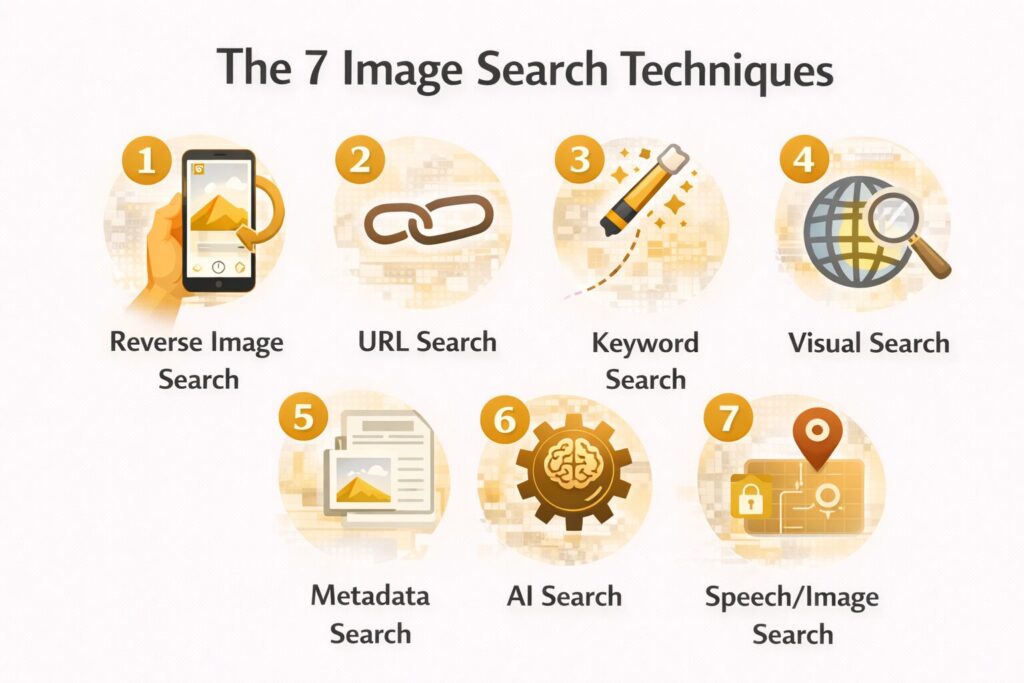
The table below maps the seven methods used in image retrieval at a glance, organized by input type and primary use case.
| Method | Input | Best Used For |
| Keyword image search | Text | General browsing, stock discovery |
| Reverse image search | Image file or URL | Finding source, detecting duplicates |
| Visual similarity search | Image | Shopping, design reference |
| Metadata and EXIF search | EXIF / file data | Verification, investigation |
| AI object and scene recognition | Image | Identifying unknown subjects |
| Multimodal search | Image + text | Precise, targeted results |
| Filtered rights-based search | Text + license filter | Legal and commercial usage |
The 7 Image Search Techniques
Method 1: Keyword-Based Image Search
This is where almost every search starts, and where most go wrong. The method is simple: type a phrase, receive images. The problem is that vague phrases produce useless results. The technique here is not about knowing more synonyms. It is about specificity and applying the filters already sitting above your results.
How it works
Search engines index images using surrounding content, such as alt text, captions, page titles, and structured metadata. Precise phrasing narrows the engine’s visual data indexing to a tighter, more relevant result pool. Every major platform offers filters for color, size, type, and usage rights. One click away. Almost no one uses them.
Compare “dog” against “golden retriever puppy sitting in natural light.” The first returns roughly four billion results. The second returns a focused, relevant set. Same engine, completely different outcome.
Color-based image search and shape-based image search both operate within this same filtering framework. Selecting a dominant color or aspect ratio in the tools panel applies those signals to the retrieval algorithm, surfacing images that match beyond just the text query.
Best tools
- Google Images: largest index, most complete filter set
- Bing Images: solid Creative Commons filtering
- DuckDuckGo Images: clean interface, no tracking
Real-world example
A food blogger needs a royalty-free kitchen photo. In Google Images: search “small modern kitchen minimalist” → Tools → Size: Large → Color: White → Usage rights: Creative Commons licenses. A legally usable, high-resolution set appears in under a minute.
When not to use it
If you already have an image and want to find its origin, this method cannot help. Move to Method 2.
Method 2: Reverse Image Search
Reverse image search flips the standard process. Instead of describing what you want, you submit the image itself as the query. The engine searches its index for pages where the same image, or a visually close match, appears. It is the most direct way to trace any photo back to where it originally came from, and one of the most important image search techniques for fact-checking and copyright work.

How it works
Among all reverse image search techniques, the upload method tends to outperform URL submission when accuracy matters most. The engine runs feature extraction on your image, converting it into a numerical representation built from shapes, edges, colors, and textures. That vector gets compared against stored image vectors across the index. This is not pixel matching. It is visual pattern detection at scale, which is why it still works when an image has been cropped, resized, compressed, or lightly color-adjusted.
You can submit a direct URL or upload a file. File uploads tend to produce better results for locally saved images. URL submission is faster when you spot the photo on a webpage and want to check it without downloading first. Understanding how reverse image search works technically connects directly to computer vision systems that power modern AI platforms.
The three reverse image search tools below cover different parts of the web and serve different purposes — use more than one when the stakes are high.
Best tools
- TinEye: built for copyright and source tracking; maintains a timestamped index showing the earliest recorded appearance of any image
- Yandex Images: strongest for facial and scene matching, especially for images originating outside English-language media
- Google Lens: broadest index; identifies what is inside the image, alongside showing where it appears online
Real-world example
A journalist sees a crowd photo circulating with claims that it documents a current protest. They upload it to TinEye. The earliest result is from a news archive three years old — the same image attached to an unrelated event in a different country. The story does not run.
When not to use it
This method confirms the visual identity, that the image exists elsewhere. It cannot confirm who owns it or what rights apply. For those questions, combine with Method 4 or Method 7.
Method 3: Visual Similarity Search
Visual similarity search finds images that look like yours, not images identical to it. Same subject type, similar composition, comparable style or mood. Pattern recognition is what separates this technique from a basic keyword search; the engine is not reading a label, it is reading the image itself. It does not require an exact match, which makes it a different tool from reverse image search entirely, even though the two are commonly confused.

How it works
Visual similarity search runs on content-based image retrieval (CBIR). Rather than matching text labels, the engine reads the image itself — color distribution, texture, shape, and spatial composition. These visual signals get converted into numerical vectors. The engine then scores incoming images against those vectors and ranks results by how closely they resemble the original.
Convolutional neural networks do the heavy lifting here. They were trained on millions of labeled images, so they learned to group visually related subjects without needing captions or keywords to guide them. Visual similarity analysis works the same way every time — ranking outputs by degree of resemblance, not exact pixel duplication.
A practical way to think about it: two photos of mid-century modern chairs will share enough structural characteristics that a trained model places them together. No metadata required. The visual fingerprint is enough.
Best tools
- Pinterest Lens: excellent for interior design, fashion, and lifestyle visuals
- Google Lens: strong general-purpose similarity matching
- Bing Visual Search: reliable for product identification and shopping
Real-world example
An interior designer photographs a chair at a client’s showroom, no label visible, brand unknown. Pinterest Lens returns similar pieces from a dozen different retailers across multiple price ranges. The client gets options. No keywords were needed.
Method 4: Metadata and EXIF Search
Every digital photograph carries a layer of invisible data written into the file at the moment the shutter opens. This is called EXIF data, a standard embedded in JPEG and other formats that records the camera model, aperture, shutter speed, date, time, and often GPS coordinates of where the shot was taken. As solutions such as Agentic AI Pindrop Anonybit continue to shape how digital identity and security are handled, understanding what hidden data your files contain becomes increasingly important.
Metadata image search is one of the most underused image search methods available. For verification work, it frequently tells you more than the image itself does.

How it works
EXIF readers extract the metadata header from an image file and display it in readable form. GPS coordinates can be placed directly into Google Maps for location verification. The timestamp can be cross-referenced against the event that an image is claimed to document. Device information helps assess whether the photo came from the camera it is claimed to have come from.
This is digital image processing at the file level rather than the visual level, a fundamentally different layer of analysis that no amount of pixel matching can replicate.
One firm limit: Instagram, Facebook, WhatsApp, and most social platforms strip EXIF data on upload to protect user location privacy. Images sent directly from a camera or via email usually retain full metadata intact.
Best tools
- Jeffrey’s Exif Viewer: browser-based, fast, displays GPS coordinates with a direct map link
- ExifTool: command-line tool for batch processing and deep extraction
- Jimpl.com: clean web interface, no software required
Real-world example
An OSINT researcher receives an image claimed to document a conflict zone. Running it through Jeffrey’s Exif Viewer, the GPS coordinates place the photo in a different city entirely. The timestamp predates the claimed event by 18 months. The image is flagged as misattributed before it reaches publication.
When not to use it
Social media downloads will rarely carry usable EXIF data. In those cases, combine with reverse image search to compensate for what metadata cannot show.
Method 5: AI-Powered Object and Scene Recognition
This is visual recognition applied at its most practical level — not a background process running in a data center, but a tool you can use from your phone in under ten seconds.
This method does not match images against other images. It identifies what is inside them. Object detection algorithms and image classification models recognize plants, animals, landmarks, products, faces, and printed text within a single photograph — and return contextual information about each. This is AI image recognition technology operating at its most practical.

How it works
The underlying technology uses deep learning image models, specifically, convolutional neural networks trained on large labeled datasets. These models have learned what a hawk looks like, what a Doric column looks like, and what a product barcode encodes. When you submit a photo, object detection runs across the visual field, assigns probability scores to identified categories, and returns matched results from known databases.
Generative AI development has accelerated these models considerably, allowing them to handle ambiguous or low-quality images that older CBIR systems failed on entirely.
Optical character recognition (OCR) operates within this same framework. It extracts readable text embedded in images, photographed signs, menus, and shipping labels, and makes that text searchable or copyable.
For developers building at scale, AI image detection tools like Amazon Rekognition handle classification and object tagging across thousands of images in a single pipeline.
Best tools
- Google Lens: plant, animal, landmark, product, and text recognition; the strongest general-purpose tool
- Apple Visual Look Up: integrated into iOS Photos; reliable for plants, birds, and artworks
- Amazon Rekognition: API-level access for developers needing AI image detection tools at scale
Real-world example
A hiker photographs a plant near a trail. Google Lens returns the species name, a brief description, and a toxicity warning. In the same result, it identifies a trail marker visible in the background, providing location context that the hiker had not thought to search for.
Most online image finder tools default to keyword search under the hood — which is why learning to refine your query and use filters is the fastest way to improve results across any platform.
Method 6: Multimodal Search (Image + Text Combined)
Multimodal search is the most recent development among all image search techniques and the least understood by general users. It combines a photo with a text query, but the query targets a specific part of the image, not the whole thing. You are not asking what the photo shows. You are asking a precise question about one element within it.

How it works
Open a photo in Google Lens, draw a circle around a specific element, a lamp, a logo, a fabric pattern, then type a follow-up question: “Where can I buy this?” What is this? “What is this called?” The engine processes the selected visual region and your text simultaneously, returning answers to your specific question rather than a description of the full scene.
This is where computer vision image search and natural language processing converge in a single query. The AI integration services driving these multimodal systems represent the most significant shift in visual search technology since reverse image search first appeared. It is the direction all major visual search engines are heading in 2026.
Best tools
- Google Lens (Search inside image): circle any element, type a follow-up question.
- Bing Visual Search: strong for product identification with text overlay
- ChatGPT Vision: useful for analytical or research questions about image content
Real-world example
An interior designer photographs a client’s living room. They circle the pendant lamp above the dining table and type “where to buy.” Four retailers respond with direct product links. The designer never knew the lamp’s name or brand.
Method 7: Filtered and Rights-Based Image Search
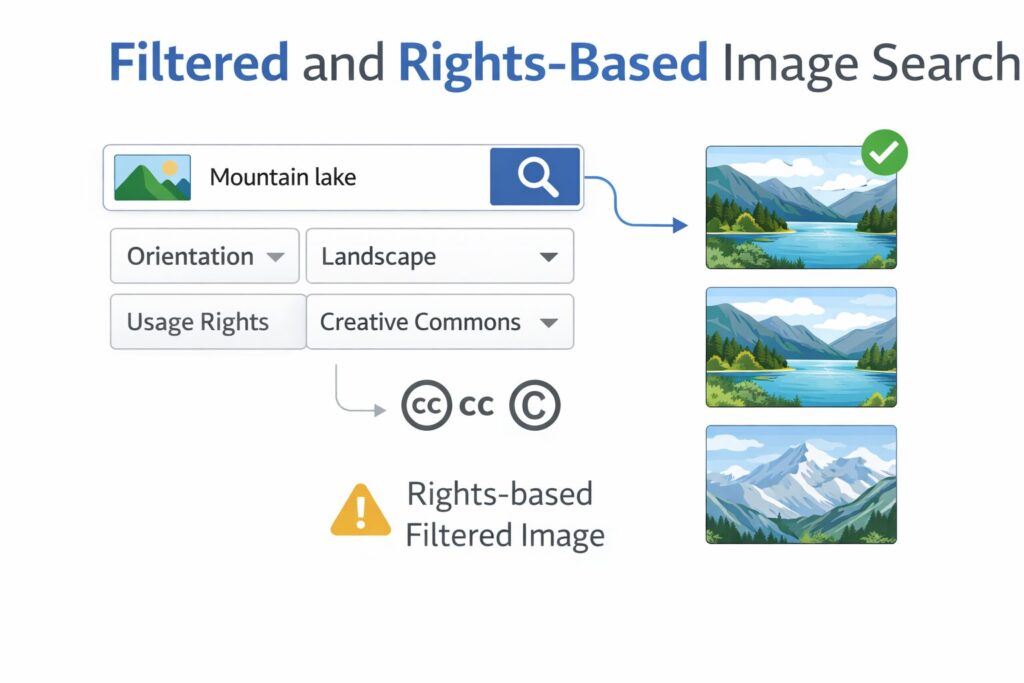
For anyone producing public-facing content, this is one of the most practically important image search techniques, and consistently one of the most ignored. Rights-based search filters results by license type, surfacing only images cleared for specific kinds of use. Skipping this step does not just produce weak work. It produces legal exposure.
How it works
Search engines and stock platforms classify images using Creative Commons license categories. The main ones are:
- CC BY: free to use, attribution required
- CC BY-SA: free to use; derivative works must carry the same license
- CC0: no rights reserved; fully public domain, no attribution needed
Google Images’ “Tools → Usage rights” filter applies these categories to results. Dedicated platforms go further, hosting only pre-licensed content with clearly stated terms per image.
One distinction that matters: free to use and free for commercial use are not interchangeable. An image licensed under CC BY-NC is free for non-commercial purposes only. Using it in a paid advertisement is a licensing violation regardless of where you found it or how it was labeled.
Best tools
- Openverse: aggregates Creative Commons images from Flickr, Wikimedia, and other sources in one search.
- Unsplash: high-resolution photography under a permissive license; free for commercial use without attribution
- Wikimedia Commons: public domain and CC-licensed media with full provenance records
Real-world example
A small business owner needs a lifestyle photo for a paid social campaign. They search Openverse filtered to CC0. A professionally shot kitchen photo downloads cleanly with no attribution or commercial restriction.
Which Image Search Technique Should You Use?
The method you reach for depends entirely on what you have and what you need.
You have an image and want to know where it came from. Use reverse image search. Start with TinEye for timestamped source records. Cross-check with Google Lens for broader context.
You want images that look visually similar to the one you have. Use visual similarity search. Pinterest Lens and Google Lens both perform well here.
You need to verify a photo’s location or date. Combine EXIF metadata image search with reverse image search. EXIF confirms physical context independently. Reverse search confirms where the image has appeared online.
You want to identify something specific inside a photo. Use AI object recognition. Google Lens handles most consumer-level identification tasks reliably.
You need a precise answer about one specific part of an image. Use multimodal search. Circle the element, type your question.
You are publishing content publicly or commercially. Use rights-based search. Verify the exact license type before the image goes anywhere.
For investigative or verification work, rarely rely on a single method. Combining reverse image search with EXIF data extraction produces conclusions that neither technique reaches alone. This is the standard approach in professional AI automation services used for media monitoring and brand protection workflows.
Common Mistakes That Limit Your Results
Relying on one search engine only. Google Lens, TinEye, and Yandex each index different parts of the web and apply different matching logic. A result visible on Yandex may not appear on Google, particularly for images originating outside English-language media.
Uploading the full image instead of cropping it. When tracing a specific person or object within a larger photo, crop tightly around the subject before uploading. Submitting the whole image dilutes the signal, especially in crowd shots or visually complex scenes.
Skipping EXIF on verification tasks. Reverse image search tells you where an image has appeared. It does not tell you where or when the photo was taken. For journalists, researchers, and fact-checkers, that distinction can determine whether a story stands or collapses.
Treating no results as proof of authenticity. No engine indexes the full web. An image not found by TinEye today may surface elsewhere tomorrow. Absence of results means the image was not found, nothing more.
Assuming “free” covers commercial use. Every image surfaced through a standard search carries unknown rights until you verify them. One licensing check before publication prevents one legal problem after it.
Final Thought
These seven image search techniques cover everything practical and available right now. The direction, though, is clear. Multimodal queries — circling part of an image and typing a follow-up question — are becoming the standard interaction pattern across Google, Bing, and mobile platforms. AI image recognition technology keeps growing more precise. The gap between what a keyword search returns and what an image-based search returns is narrowing fast.
The people who understand these methods now will move with that shift rather than scramble to catch up. Pick one technique from this list that you have not used before. Apply it to an image you already have on your device. What comes back will very likely surprise you.
Author Bio:
Rashida Hanif is a Content Specialist with expertise in SEO-driven content writing and digital marketing. She helps brands grow their online presence through strategic content creation, high-quality articles, and ethical link-building practices.
Connect with her on LinkedIn
https://www.linkedin.com/in/rashida-hanif-3a501a3a9/.

Senior SEO Content Marketing Manager at Trendusai.com
Rashida Hanif is a Senior SEO Content Marketing Manager at Trendusai.com, specializing in data-driven content strategy and SEO. She helps brands improve online visibility through keyword research, content planning, and AI-powered marketing insights.