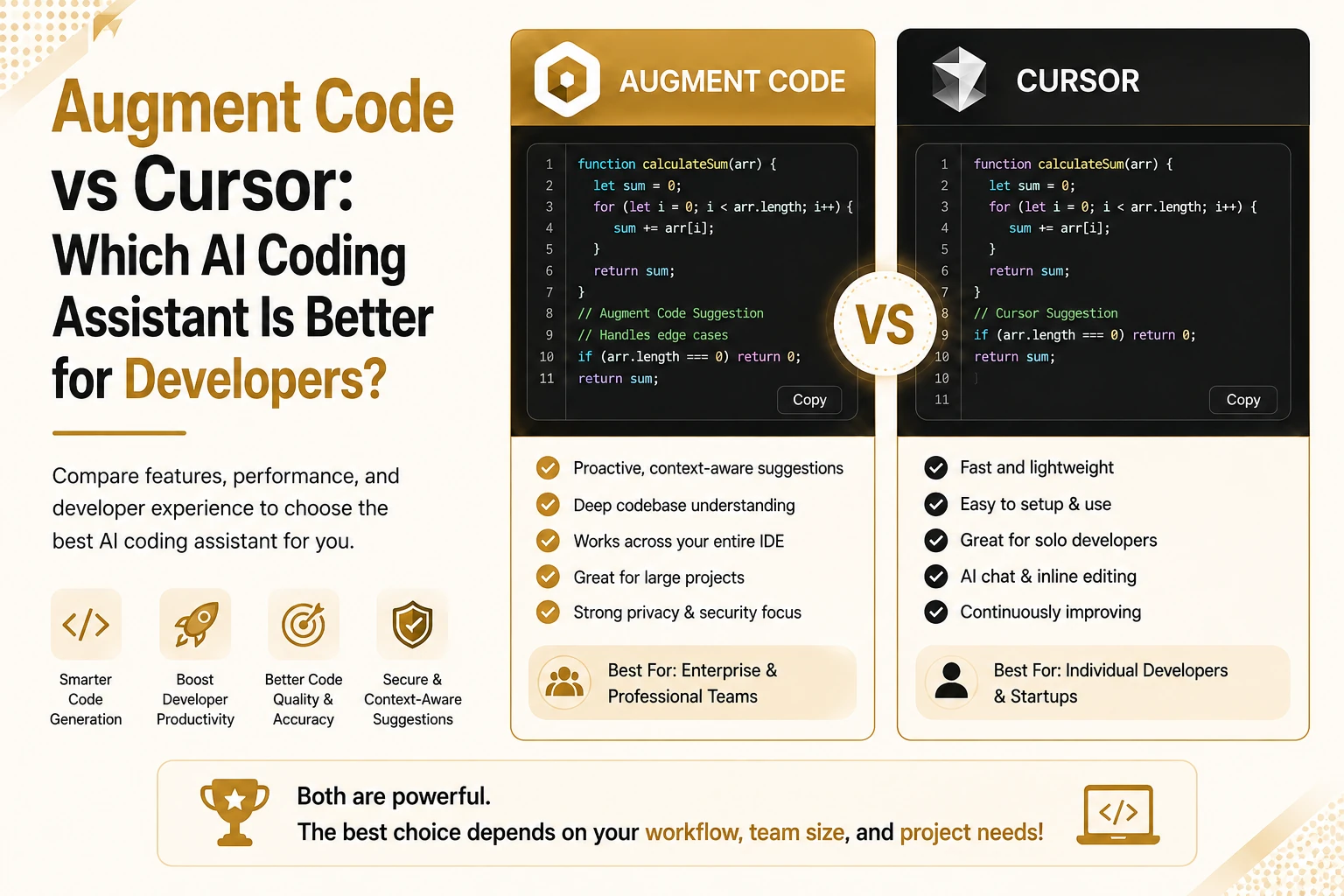
If you have spent any time picking an AI coding assistant this year, you already know the problem. Every tool claims to understand your codebase, write clean code, and save you hours every week. Some deliver, while some just autocomplete faster than the last one. When your codebase spans dozens of repositories, or when your team ships features under deadline pressure, the wrong pick costs real time and real money. This comparison looks past the marketing pages and breaks down what each tool actually does, where it struggles, and who should use it.
Augment Code vs Cursor: At a Glance
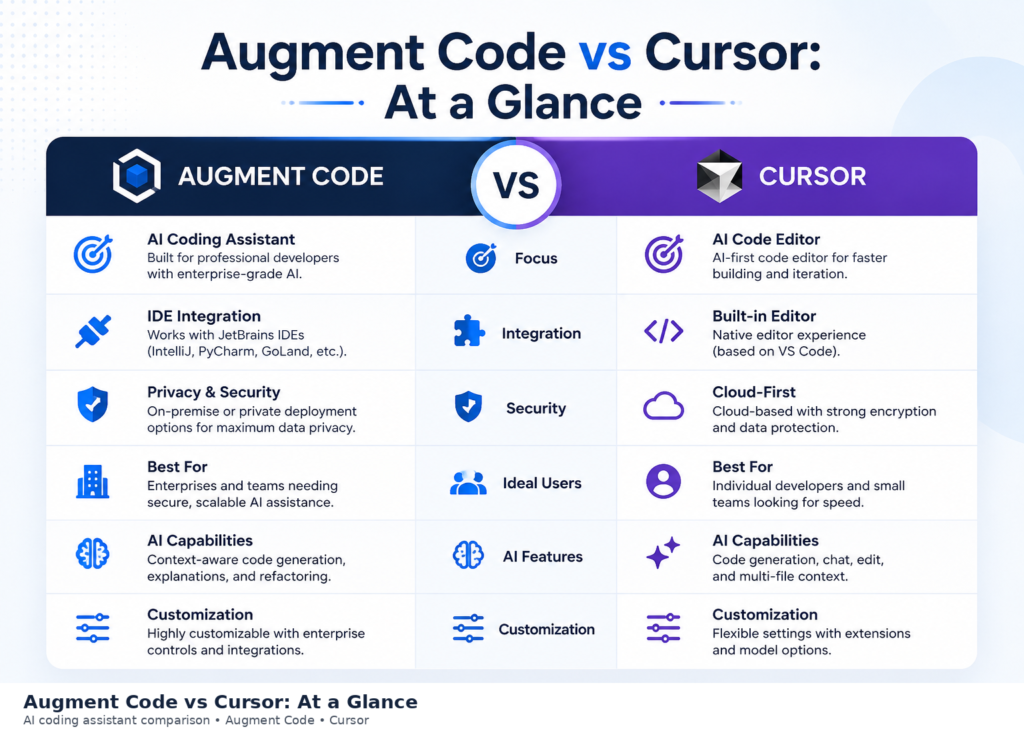
Augment Code and Cursor solve coding problems from two different starting points. Augment Code builds around a Context Engine designed to index large, multi-repository codebases so an AI coding assistant can reason across systems, not just the open file. Cursor is a full code editor, forked from VS Code, built for fast iteration, inline editing, and agent-driven changes inside a familiar interface.
Anyone running an Augment Code vs Cursor AI comparison for the first time should start here, because the split gets clearer once you see how each product is built. Augment Code leans into enterprise-scale codebase context, cloud agents through its Cosmos platform, and PR level code review. Cursor leans into editor speed, model choice, and a workflow developers can pick up in minutes. Both support agent mode, both plug into GitHub, and both now price around usage rather than flat seats. The differences show up once you dig into daily use.
Before going deeper, it helps to know what each product actually is and who built it.
What Is Augment Code?
Augment Code is an AI coding assistant built for teams working in large, production-scale codebases. Its core feature is the Context Engine, which indexes an entire repository, or multiple repositories, so the assistant understands existing utilities, naming conventions, and cross-service dependencies before it writes a line. Augment Code supports VS Code, JetBrains IDEs, and Vim or Neovim, along with a CLI called Auggie and an MCP server for connecting external tools.
Beyond the editor, Augment Code runs Cosmos, a cloud platform for asynchronous coding agents, and offers Code Review for GitHub pull requests. Customers listed on its site include Adobe, MongoDB, Snyk, and Webflow, which points to its focus on engineering teams with complex, interconnected systems rather than solo side projects.
What Is Cursor?
Cursor, built by Anysphere, is an AI native code editor forked from VS Code. It combines Tab completions, a chat interface, an Agent for multi-file changes, and Composer for building features from a prompt. Cursor supports MCPs, skills, and hooks, plus cloud agents that can run tasks outside your local machine and a Bugbot feature for automated code review on pull requests.
Cursor gives users a model picker across frontier models including Grok, GPT, and Claude, along with an Auto mode that routes requests to a cost-efficient model automatically. It ships a desktop app, a CLI, and a mobile app for reviewing agent work on the go. Because it started as a fork of VS Code, most developers feel at home within minutes.
Augment Code vs Cursor: Key Differences
The real decision, sometimes searched as cursor vs augment code or cursor ai vs augment code, comes down to how each tool treats context, how it handles agent work, and how it prices usage. Augment Code was built from the start to answer, does this AI actually know my whole codebase, while Cursor was built to answer, can I move faster inside my editor. Both questions matter, but they lead to different product decisions.
Codebase Context Awareness & Understanding
Augment Code’s Context Engine is its main selling point. It builds a semantic index across an entire repository, and across multiple repositories for teams running microservices, so suggestions reflect existing patterns instead of generic boilerplate. This matters most in legacy systems where undocumented conventions live in code, not in a wiki.
Cursor also indexes your codebase for context, and its Agent can search across files during a task. Its context system is tuned around the currently open project rather than a workspace spanning many repositories. For a single repo project, the gap barely matters. For a company managing a dozen connected services, Augment Code’s approach is built for that scale.
Installation, Setup, and IDE Integration
Cursor installs as a standalone editor, so setup means downloading the app and importing your VS Code settings, extensions, and keybindings. Most developers are productive within the first session because the interface mirrors the editor they already use.
Augment Code installs as an extension inside your existing IDE, supporting VS Code, JetBrains products, and Vim or Neovim. This suits teams that already standardized on a specific IDE and do not want to change editors just to add an AI coding assistant. Setup takes a bit longer, since the Context Engine needs to index your repository before suggestions reach full accuracy.
AI Code Completion & Generation
Both tools handle inline code completion well. Cursor’s Tab completions predict multi-line edits and next actions across a file, and its Composer feature can generate a working feature from a short prompt. Because Cursor gives direct access to several frontier models, code generation quality shifts depending on which model you pick.
Augment Code’s code completion draws on its Context Engine, so generated code tends to reuse existing helper functions and match your project’s conventions rather than reinventing a pattern that already exists elsewhere in the repo. For teams with strict internal libraries, that consistency saves review time later.
AI-Powered Code Editing and Refactoring
Cursor’s inline edit and Agent modes let you select code, describe a change, and get an edit applied directly in the file, with the option to accept or reject each change. This makes rapid prototyping and code refactoring fast, since you can iterate on a function in seconds.
Augment Code’s editing tools work the same way but pull from cross-file context automatically, which helps when a refactor touches code in a different service or module than the one you have open. Its agent will trace dependencies before proposing a rename or interface change, which reduces the chance of a broken reference somewhere else in the system.
Agent Mode and Multi-File Editing
Agent mode is where both tools compete hardest. Cursor’s Agent and Composer can plan and execute multi-file changes, run terminal commands, and work asynchronously through cloud agents you can monitor from the mobile app. Augment Code’s Coding Agent runs through Cosmos, its cloud platform, and can hold up to 50 concurrent sessions on the Business plan, with daemon mode for background tasks.
For multi-file editing across a large codebase, Augment Code’s advantage is context depth, since its agent already understands how files across repositories connect. Cursor’s advantage is speed and flexibility, since you can switch models mid-task and see agent progress inside the same editor you already use daily.
Code Review Capabilities
Augment Code Review installs directly on GitHub and reviews every pull request using the same Context Engine that powers its editor features, so it can flag issues that touch code outside the current diff. Enterprise Code Review adds analytics dashboards, user allowlists, and MCP connections to tools like Jira and Notion for richer review context.
Cursor’s Bugbot reviews pull requests too, billed on usage-based pricing, and similarly integrates with GitHub. It focuses on catching bugs and logic issues introduced by a specific change rather than system-wide dependency mapping. Teams that want a review layer built purely around code quality across many repositories sometimes pair either tool with a dedicated reviewer like Qodo, covered further down.
Debugging and Error Detection
Both platforms serve as debugging tools in their own right, using chat and agent modes to help trace bugs, read stack traces, and suggest fixes. Augment Code’s debugging benefits from repository-wide context, so it can point to a root cause sitting in a file you never opened during the session. This is useful in codebases where an error in one service surfaces as a symptom in another.
Cursor’s debugging happens through its chat and Agent, using the currently loaded context plus any files the Agent pulls in during its search. For focused, single repo debugging, the experience is nearly as strong, and the tighter editor integration can make back-and-forth troubleshooting quicker.
Memory and Context Management
Augment Code holds context across a session and reuses indexed repository knowledge automatically, so you rarely need to remind it what a function does or where a service lives. This kind of memory management works at the workspace level, which supports teams working across many files without re-explaining the project each time.
Cursor’s memory is tied more closely to the active session and files pulled into context, with rules and custom instructions available to persist preferences across chats. Teams collaborating on shared rules can store them in Cursor’s Teams marketplace so the whole group works from the same context setup.
AI Models Used and Customization Options
Augment Code routes requests through a system it calls Prism, choosing among models such as Claude and GPT based on task type and cost, while publishing per-model token rates so teams can see exactly what a request costs. No plan trains on customer code, per its Commercial Terms of Service.
Cursor gives more direct model choice, letting you pick specific frontier models including Grok, GPT, and Claude, or default to Auto mode for automatic routing. Composer, Cursor’s own model, is tuned for speed and lower cost on common coding tasks. Privacy mode on both tools blocks training on your code when enabled.
User Experience and Interface
Cursor feels like using VS Code with AI built in from the ground up, which shortens the learning curve for most developers. Its interface keeps chat, Agent, and inline edits in view without much extra configuration.
Augment Code’s interface lives inside your existing IDE as an extension, so the learning curve depends on how comfortable you already are with VS Code or JetBrains. Once the Context Engine finishes indexing, the experience feels native to the editor you already use, rather than asking you to adopt a new one.
Performance and Resource Usage
Cursor, as a full editor, uses more local resources than a lightweight extension, though this is standard for any VS Code fork running additional AI features. Indexing large repositories can also slow the initial startup.
Augment Code’s indexing step for large, multi-repository codebases takes time upfront, but this investment supports more accurate cross-file suggestions afterward. Cloud agents through Cosmos run on Augment’s infrastructure rather than your local machine, which keeps local resource use lighter during agent tasks.
Enterprise Security and Scalability
Augment Code’s Business plan includes SOC 2 Type II compliance, and Enterprise adds CMEK, ISO 42001 compliance, SIEM integration, data residency options, granular access controls, audit trails, and SSO. Its Enterprise tier supports unlimited users and custom compute sizing, which matters for organizations running agent workloads at scale.
Cursor is SOC 2 certified, and its Enterprise plan adds pooled usage, invoice billing, SCIM seat management, repository and model access controls, audit logs, and an AI code tracking API for enterprise automation workflows. Both vendors state that no plan trains on your code, which matters for regulated industries evaluating either AI coding tool.
Pricing and Plans
Pricing is often the deciding factor between these two tools, since both now bill around usage rather than a flat seat price. Augment Code runs on a single Business plan at $100 per month flat, covering up to 50 seats with $100 of pooled usage included across LLM inference, the Context Engine, and Cosmos compute. Usage beyond that amount bills as pay-as-you-go top-ups, and Enterprise moves to custom pricing with volume discounts.
Cursor offers a free Hobby plan, then Individual plans starting at $20 per month for Pro, with Pro+ and Ultra tiers built for heavier agent usage. Teams pricing starts at $40 per user per month, and Enterprise is custom. Both companies have moved away from flat unlimited plans toward usage-based billing, so your actual monthly cost depends on how much agent work your team runs, not just the plan you pick.
Augment Code vs Cursor: Feature Comparison Table
The table below lays out the comparison side by side, so you can scan the differences without reading through every section above.
| Feature | Augment Code | Cursor |
| Core strength | Multi-repository context engine | Editor speed and model flexibility |
| IDE support | VS Code, JetBrains, Vim, Neovim | Standalone editor, VS Code fork |
| Agent platform | Cosmos cloud agents | Cloud agents plus mobile app |
| Code review | Augment Code Review for GitHub | Bugbot for GitHub |
| Model access | Prism routing across Claude, GPT | Direct picker, Auto mode, Composer |
| Entry pricing | $100/month flat, up to 50 seats | Free Hobby, $20/month Pro |
| Team pricing | Included in Business plan | $40/user/month Teams |
| Compliance | SOC 2 Type II, CMEK, ISO 42001 | SOC 2 certified, SCIM on Enterprise |
| Best fit | Large, multi-repo enterprise teams | Individual developers, fast iteration |
Augment Code: Pros and Cons
Advantages of Augment Code
- Context Engine indexes entire repositories and multiple codebases at once
- Flat $100/month Business plan covers up to 50 seats with no per-seat fee
- Cosmos supports up to 50 concurrent agent sessions on Business, unlimited on Enterprise
- Enterprise compliance includes CMEK, ISO 42001, SIEM, and data residency
- Code Review understands cross-file dependencies, not just the current diff
Limitations of Augment Code
- Indexing large repositories takes time before suggestions reach full accuracy.
- Fewer IDE options than a standalone editor if your team prefers a dedicated tool
- Usage-based pricing means costs scale with how heavily agents get used
- Smaller community and fewer third-party integrations compared to Cursor’s marketplace
Cursor: Pros and Cons
Advantages of Cursor
- Familiar VS Code-based interface with a short learning curve
- Direct access to multiple frontier models plus an Auto mode for cost control
- Mobile app for reviewing and managing cloud agent tasks remotely
- Active marketplace for shared rules, skills, and plugins across teams
- Free Hobby plan for testing before committing to a paid tier
Limitations of Cursor
- Context depth across many repositories is not its main design focus
- Real monthly cost can exceed the plan price once model usage adds up
- Teams plan splits into Standard and Premium seats, adding a decision step for admins
- Requires switching your default editor if your team uses JetBrains or another IDE
Augment Code vs Cursor: Which One Should You Choose?
The right answer here depends on your codebase size, your team size, and how much you value editor speed over context depth. Teams still unsure where to start can also run this decision through AI consulting before locking into a plan.
Best for Large and Complex Codebases
Teams managing several interconnected repositories, legacy systems, or microservices architectures get more value from Augment Code. Its Context Engine is built specifically for that scale, and its enterprise compliance options fit regulated industries running large engineering organizations.
Best for Fast Code Editing / Rapid Prototyping
Solo developers and small teams building quickly benefit from Cursor’s editor speed, Tab completions, and Composer. If your work lives mostly in one repository and you value iteration speed over deep cross-repo context, Cursor is the faster path to shipping code.
Best for Enterprise Development Teams
Both tools offer enterprise plans with SSO, audit logs, and custom pricing. Augment Code’s edge shows up in organizations with many repositories and strict compliance needs, given its CMEK and ISO 42001 support. Cursor’s Enterprise plan suits teams that want pooled usage and SCIM management without changing their existing VS Code-based workflow.
Best for Individual Developers
For a single developer or freelancer, Cursor’s free Hobby plan and $20 Pro tier offer a lower barrier to entry than Augment Code’s team-oriented Business plan, the same way solo founders weigh startup tools before committing budget to any one platform. Individual developers who work across many personal repositories may still prefer Augment Code’s context depth, but most solo use cases favor Cursor’s pricing and editor speed.
Qodo as an Alternative to Augment Code and Cursor
If your main need is code review rather than a full AI coding assistant, Qodo is worth a look. Qodo focuses on code integrity through Qodo Merge for pull request review, Qodo Cover for test generation, and a multi-repository Context Engine of its own. As of April 2026, Qodo deprecated standalone autocomplete and chat generation to focus fully on review and testing, so teams typically pair it alongside a primary coding assistant like Augment Code or Cursor rather than using it in place of one.
Worth noting in any Augment Code vs Cursor vs Windsurf discussion: Windsurf, once a standalone AI native editor built by Codeium, was rebranded as Devin Desktop after Cognition acquired it, with the change rolling out in June 2026. If you see Windsurf mentioned in older comparison articles, know that the product now ships under the Devin brand, with the same editor, extensions, and plans carried over.
Final Verdict: Augment Code vs Cursor
There is no single winner between these two platforms, only a better fit for your situation. Augment Code earns its place with large, multi-repository codebases where context depth and enterprise compliance carry more weight than editor speed. Cursor earns its place with developers who want a fast, familiar editor, flexible model access, and a lower cost of entry.
If you run an engineering org with legacy systems, several connected services, and strict security requirements, Augment Code is built for that job. If you are a solo developer, a small team, or someone who values quick iteration over deep repository context, Cursor gets you shipping code sooner. Either way, this breakdown should give you enough to test both against your own codebase before committing to a paid plan. For more comparisons like this one, visit TrendUsAI.
Frequently Asked Questions
Is Augment Code better than Cursor?
Neither tool is better across every use case. Augment Code is stronger for large, multi-repository codebases and enterprise compliance needs. Cursor is stronger for fast, single-repository work and developers who want a familiar editor with flexible model access.
What is the difference between Augment Code and Cursor?
Augment Code is an AI coding assistant that installs as an extension inside VS Code, JetBrains, or Vim, built around a Context Engine that indexes large or multi-repository codebases. Cursor is a standalone code editor forked from VS Code, built around fast completions, an Agent for multi-file edits, and direct access to several frontier models.
Which AI coding tool is better for enterprise development?
Both offer enterprise plans with SSO and audit logging. Augment Code has an edge for organizations with many repositories and strict compliance needs, since its Enterprise tier includes CMEK and ISO 42001 compliance. Cursor’s Enterprise plan suits teams that want pooled usage and SCIM seat management without switching away from a VS Code-style workflow.
Is Cursor good for large codebases?
Cursor can handle large codebases, and its Agent searches across files as needed during a task. Its context system is built around the active project rather than indexing many repositories at once, so teams with several interconnected codebases may get deeper context from a tool built specifically for that scale, like Augment Code.
What is the best alternative to Augment Code and Cursor?
Qodo is a strong alternative if your priority is automated code review and test generation rather than a full coding assistant. For an agent-first IDE experience under a different brand, Devin Desktop, the product formerly known as Windsurf, is another option worth testing alongside Augment Code and Cursor.

Senior SEO Content Marketing Manager at Trendusai.com
Rashida Hanif is a Senior SEO Content Marketing Manager, specializing in data-driven content strategy and SEO. She helps brands improve online visibility through keyword research, content planning, and AI-powered marketing insights.