
A messaging security agent is usually the thing you wish you’d had after a fake invoice gets paid, or after someone clicks a link in Teams. If you run IT, you probably deal with spam that keeps slipping through, and tools that seem to do the same job twice. Customer data can also leave in a plain email, and nobody notices for weeks. You need to know what to buy, what to install, and what won’t be covered. This guide goes through all of that in plain words, from the basics to deployment, for the Trend Micro product and for the wider category.
What Is a Messaging Security Agent?
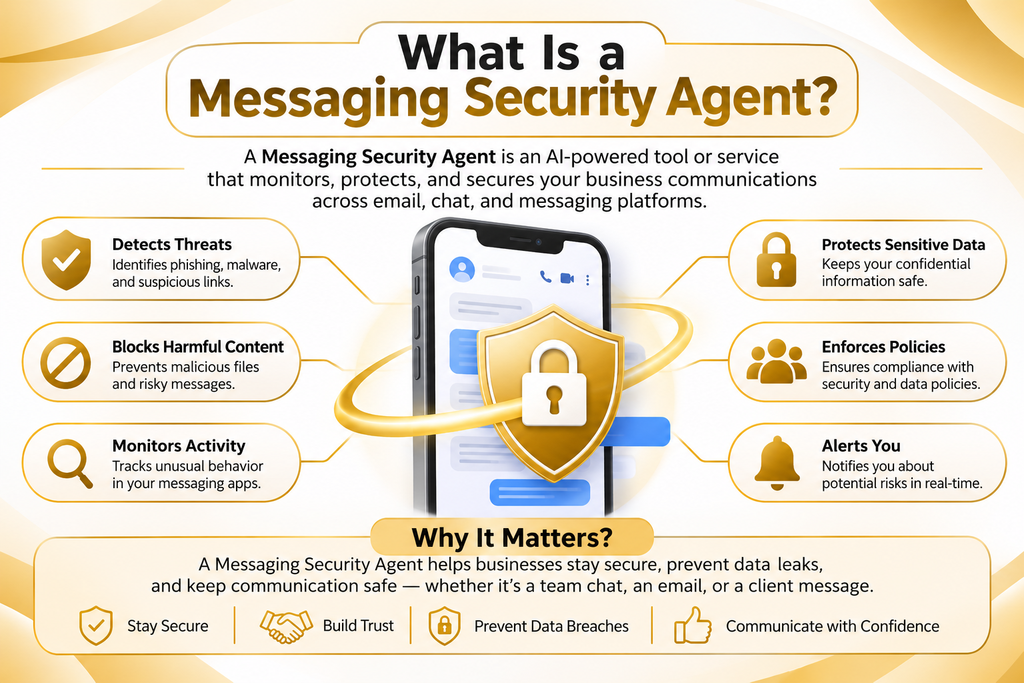
A messaging security agent is software that checks messages for threats and for broken rules. It reads email and, in some products, chat, before a message reaches a person or leaves the company. It looks for malware, phishing links, spam, and sensitive data. When it finds something, it blocks the message or sends an alert.
If you searched for the messaging security agent meaning, that’s the short version. The agent works on the message itself, a step before anyone opens a file on a laptop. Endpoint tools take over after that point, so most companies end up running both.
Messaging Security Agent as a product term (Trend Micro MSA for Microsoft Exchange) vs. the general category
There are two different interpretations of the word, and they get confused. One is a particular product: the Trend Micro Messaging Security Agent (MSA). It is installed on a Microsoft Exchange Server and scans messages that pass through the Exchange Server. It is bundled with suites in Trend Micro’s OfficeScan and Apex One families, so you are only getting it if you have a license for that. The messaging security agent Trend Micro has typically been discovered by admins who type in the agent’s name in the Trend Micro console.
The other one is the common-sense definition. There are numerous vendors offering messaging security software or an email security agent that performs a similar function, both on a server and in the cloud. If you’re running Exchange Server on-site, you might find the Trend Micro component a match. If you are using most of your email in the cloud, it’s more important. Both are covered below, and any messaging security solution that you shortlist should be subjected to the same questioning.
Why Business Messaging Became a Prime Target
You can send a message to your staff from anywhere on the web, and staff should respond promptly. Attackers like that. It takes a bit of work to break through a firewall, and an afternoon to get a convincing email. Each message includes payment requests, passwords, contracts, and customer records as well, making it possible to fake or steal each message. Business email security starts from that fact.
Phishing and Business Email Compromise (BEC)
Phishing tricks a person into handing over a password or clicking a bad link. Business Email Compromise, or BEC, is narrower. The attacker pretends to be an executive or a vendor and asks for a payment, often to a new bank account. Many of these emails have no attachment at all. They run on social engineering and credential theft, so a plain virus scan has nothing to catch.
Good phishing protection and email threat detection look at the sender, the wording, and the links together. Sender checks help too. SPF, DKIM, and DMARC let a receiving server confirm that a message came from the domain it claims, and NIST covers them in Special Publication 800-177 on trustworthy email. If you’re asking how to protect business email from phishing, set those records first, add a call-back rule for payment changes, then put a filter on top.
Malicious attachments and URLs
An attachment can carry ransomware via email, and a link can lead to a fake login page. Some links look clean when the message arrives and turn bad a few hours later. For that reason, malicious URL detection works best when links get checked again at the moment of the click. Email threat protection that only checks at delivery misses those.
Zero-day threats make the job harder. A zero-day has no known signature yet, so a scanner that only matches known files lets it through. Behavior checks and sandboxing help here. Sandboxing opens a suspicious file in an isolated space and watches what it does.
Data leaks and insider risk
Not every problem starts outside. A worker attaches the wrong spreadsheet, forwards a customer list to a personal address, or pastes card numbers into a chat. Most cases are honest mistakes, a few are deliberate, and both fall under insider threat. If you want to know how to stop email data leaks, outgoing scans with data leak prevention rules are the usual answer. They give you one chance to stop the send, which is also how confidential data protection works at the message level.
Spam and impersonation on chat platforms
Chat feels safer than email, and that’s exactly the problem. People trust a message in Teams or Slack more than one from an unknown address. Guests, shared channels, bots, and connected apps all give attackers a way in. Chat security and collaboration platform security are younger fields than email filtering, and coverage differs a lot between vendors. Ask what a tool really scans in chat, and get the answer in writing. That is the starting point if you want to know how to secure Teams and Slack messages.
Real-world attack examples
Two examples illustrate the price of a bogus message. Ubiquiti Networks reported to the U.S. SEC, about $46.7 million was lost in fraudulent transfers associated with impersonation emails in 2015. Evaldas Rimasauskas sent fraudulent invoices to Google and Facebook, demanding over $100 million from the companies, the US Department of Justice said between 2013 and 2015. He pleaded guilty in 2019.
Both cases leaned on convincing messages and thin payment checks. A messaging security agent can flag lookalike domains and strange sender behavior. A rule that every bank detail change gets confirmed by phone does the rest, and no software replaces it.
How a Messaging Security Agent Works
People often ask how a messaging security agent works, and the answer is a short loop. It reads a message, decides if the message is safe, acts on that decision, and writes down what happened. Speed matters because mail users expect delivery in seconds.
Scanning incoming and outgoing messages
Two jobs are email scanning in and out. Inbound checks: Identify malware, phishing, spam, and spoofed senders. Outbound checks are used to identify data leaks, spam violations on hijacked accounts, and policy violations. Real-time scanning means that the agent will scan a message as it passes through the mail server, and the user will not see the threat. On a server product, inbound and outbound mail filtering occurs on the mail server itself, and that is why it’s called “mail server protection.
Detection methods (signatures, behavior, AI/machine learning)
Signatures match known bad files and known bad links. They’re quick and accurate for old threats. Behavior checks watch what a file or message does, which helps with new attacks. Machine learning detection scores each message using patterns from past mail, such as word choice, sender history, and how a link is built.
Threat intelligence adds outside data, like lists of bad domains and fresh malware samples. No single method catches everything. Vendors combine them because each one misses something the others find.
Automated response (quarantine, block, alert)
After a verdict comes automated threat response. A clearly bad message gets blocked. A doubtful one goes to quarantine, where an admin or the user can look at it. Some policies strip the attachment and deliver the text, and others add a warning banner. Alerts reach the admin when a rule fires or a pattern repeats.
Logs, reports and notifications
Every decision should leave a record. Audit logs show what was scanned, which rule fired, and what happened next. Reports group that data by day, user, or threat type. Notifications can go to admins and, if you choose, to senders or recipients. A Security Operations Center (SOC) also uses these logs to trace an incident after it happens.
Key Features to Look For
Product pages list dozens of items. These messaging security agent features matter most when you compare email and chat security tools, and they apply to any secure business messaging setup.
Anti-malware and antivirus scanning
Malware scanning should cover attachments, archives, and files inside compressed folders. Ask how often signatures update and if the product offers sandboxing for unknown files. Password-protected archives are a known gap in many scanners, so ask how the product handles them.
Anti-phishing and malicious URL detection
Look for link rewriting or click time checks, lookalike domain detection, and display name checks. A good tool also reads the message itself for urgency and payment requests, which matters for BEC since no bad file exists. Impersonation protection belongs on this list too.
Spam filtering
Spam filtering cuts noise and lowers the odds that something bad slips through. Check how quarantine works, how users release mail, and how you tune the filter. A filter nobody can tune pushes false positives straight onto your help desk.
Content filtering and attachment blocking
Content filtering enforces your own rules. You might block executable files, flag certain keywords, or cap file sizes. Attachment blocking by file type is simple and works well, since many attacks use file types your business never sends. Policy enforcement is the umbrella term for these rules.
Data loss prevention (confidential data leak prevention)
Data loss prevention inside a messaging tool checks outgoing content for patterns like card numbers or national ID numbers. It can then block, encrypt, or warn. That’s data leak prevention at the message level only, so a file copied to a USB drive stays out of its sight.
Real-time threat detection
Real-time threat detection means the verdict arrives while the message is in motion. Ask vendors for typical scan delay and for what happens to mail if the scanner goes down. Some products let mail pass, and others hold it. Find that out before an outage, not during one.
Cross-platform coverage (Exchange, Microsoft 365, Teams, Slack)
Coverage differs sharply between products. A server agent for Exchange Server doesn’t automatically cover Exchange Online or chat. A search for a messaging security agent for Microsoft 365 or messaging security for Teams and Slack often leads to cloud tools that connect through APIs or mail routing. Check each platform you use, one at a time, and ask for written confirmation.
Central management and reporting
Centralized management lets you set a policy once and apply it across servers, groups, or sites. Look for role-based access so a help desk worker can release a message without touching the rules. Clear reports also save a lot of time when an auditor starts asking questions.
Messaging Security Agent vs Spam Filter, Email Gateway and DLP
These tools overlap, and vendors don’t always draw clean lines between them. The table gives a general view. Specific products vary, so read current datasheets before you decide.
| Tool | Main purpose | Typical coverage | Strengths | Limits |
| Messaging security agent | Scans email and sometimes chat for malware, phishing, spam,m and data leaks | Mail server, and in some products cloud mail or chat | Several checks in one place, policy control, logs | Coverage depends on the product and platform |
| Spam filter | Remove unwanted bulk mail | Inbound email | Simple, low effort | Weak against targeted phishing and outbound leaks |
| Secure Email Gateway (SEG) | Filter mail before it reaches your mail system | Inbound and outbound email, often through MX routing | Strong perimeter control, mail routing | Often email only, no view of chat |
| Data Loss Prevention (DLP) | Stop sensitive data from leaving | Email, endpoints, cloud apps, depending on the tool | Deep rules for data types | Focused on data, not on inbound threats |
On messaging security agent vs spam filter, a spam filter removes junk and little else. The agent goes further and checks for malware, phishing, and leaks. On messaging security agent vs DLP, the agent’s data rules are narrower, while a full DLP tool follows data across many channels.
For messaging security agent vs email gateway, the main difference is placement. A gateway sits in front of your mail system, and a server agent sits on the mail server. When you weigh email security gateway vs messaging security, ask where you want checks to happen and which platforms need coverage. Proofpoint and Mimecast sell email security products, and Microsoft Defender for Office 365 protects Microsoft 365 mailboxes. Compare current feature lists yourself instead of trusting a summary.
Messaging Security Agent for Microsoft Exchange: Technical Requirements
This section covers the Trend Micro product on Exchange Server, and other tools will differ. Check Trend Micro’s current documentation for the exact messaging security agent requirements, since supported versions change and older Exchange releases have reached end of support.
Installation requirements
The messaging security agent for Microsoft Exchange installs on the Exchange server and gets managed from the parent suite console. Expect to need administrator rights on the server and a working Active Directory. Check the supported Exchange and Windows versions before you start. Pick a quiet window for the install, because services may restart.
DAG and Enterprise edition limitations
Many Exchange Server setups use a Database Availability Group, or DAG, to keep mailboxes available across servers. Enterprise edition setups bring their own questions about where the agent runs and how policy applies. Trend Micro’s documentation lists limits for these designs, so read them first. A messaging security agent exchange server plan that ignores your DAG layout can leave gaps.
SQL Server database requirements
The agent uses a Microsoft SQL Server database to store settings and logs. Confirm the supported SQL Server versions, the account permissions, and the free disk space. Back up the database like any other. Logs can grow fast on a busy server, so keep an eye on storage.
Restarting agent services after SQL interruptions
If SQL Server goes down or restarts, the agent can lose its link to the database. Once SQL is back, restart the agent services and check the console to confirm they reconnect. Put this on your maintenance checklist so a patch night doesn’t quietly stop scanning.
Security Groups Tree and individual agent management
The console arranges agents in a Security Groups Tree. You can apply one policy to a whole group or change a single agent. Group policies keep things tidy, while single changes suit odd cases like a server with unusual mail flow. Write down every exception so the next admin knows why it exists.
Where a Messaging Security Agent Falls Short
No single tool covers everything, and a few limits are worth planning around early.
What it does not replace (antivirus, endpoint protection, employee training)
A messaging tool doesn’t replace antivirus or endpoint protection. Threats can arrive by USB drive, web download, or a compromised app, so endpoint and email security work best as a pair. The agent also can’t stand in for security awareness training. Some messages will get past any filter, and staff need to know what to do when one does. An incident response plan handles the rest.
Encrypted and third-party channel blind spots
A scanner can’t read what it can’t decrypt. End-to-end encrypted apps, personal messaging apps, and text messages sit outside most corporate tools. Staff sometimes move a conversation there to avoid monitoring. Decide which channels are allowed for work and say so plainly.
Who Needs a Messaging Security Agent?
If you’ve been asking yourself, do I need a messaging security agent, the answer depends on size, platform, and risk. The groups below see it differently.
Small businesses
A messaging security agent for small business use often makes sense when you handle payments or client data and have no security staff. Look for simple setup, sensible defaults, and fair pricing. A small firm usually gains more from solid filtering and good payment checks than from a complex stack of tools.
Enterprises
Large companies deal with more mail, more platforms and heavier audit demands. They need central management, detailed logs, role control, and a link to the SOC. Enterprise messaging security also has to handle scale, so ask vendors about mail volume limits and failover.
Remote and distributed teams
When people work from home on personal networks, email and chat become the shared office. Cloud email security and chat coverage count for more here. Check that policies apply the same way wherever users sign in.
Regulated industries (finance, healthcare, government)
Banks, clinics and public bodies have to protect sensitive data and prove they did. Logs, retention controls and data rules matter most. Ask how a product supports your specific rules, and keep your compliance team in the room.
IT admins and security teams
If you run the system, you’ll care about tuning, false positives, and how fast you can act. Ask about API access, alert options, and how quarantine review fits into your day. A tool that creates extra tickets won’t last long.
How to Choose the Right Messaging Security Agent (Buyer’s Checklist)
So how do you find the best messaging security agent for your setup? Begin with your platforms and your biggest risks. Then test two or three products on real mail.
Questions to ask vendors
- Which platforms do you cover: Exchange Server, Microsoft 365, Teams, Slack?
- Does scanning happen on my server, at a gateway, or in your cloud?
- How do you handle zero-day threats and impersonation?
- What is your process for false positives?
- What happens to mail if the scanner fails?
- Where is my data stored, and how long are logs kept?
- How do updates roll out, and who tests them?
- What support hours do you offer?
Must-have vs nice-to-have features
Must-haves usually include malware scanning, anti-phishing, spam filtering, quarantine, policy enforcement, audit logs, and central management. Nice-to-haves include sandboxing, chat coverage, advanced impersonation protection, built-in encryption, and audit reports. Rank them by what your business actually faces, and ignore what only looks good on a feature list.
Cost and ROI considerations
Messaging security agent cost depends on license tier, number of mailboxes or users, support level, and add-ons such as sandboxing. Some vendors price per user, and others bundle the agent into a larger suite. Get a written quote and check what’s included. Is a messaging security agent worth it for you? Compare the price with the cost of one incident, such as a wrong payment, a ransomware cleanup, or a breach notice, then add the admin hours lost to false positives, since that cost is easy to miss.
Step-by-Step: How to Deploy a Messaging Security Agent
This section covers how to deploy messaging security agent software, from first check to ongoing care. The order works for most products. If you only want to know how to install messaging security agent components, follow your vendor’s install guide for the version you own.
Step 1: Assess your current messaging security posture
List your mail systems, chat tools, and who uses them. Check your SPF, DKIM, and DMARC records. Note past incidents, current filters,s and any compliance duties. Look for gaps, like chat with no scanning or no outbound rules. That list becomes your requirements.
Step 2: Choose the right solution
Match the checklist above to your list. Ask for trials and test with safe samples, like a harmless test file that antivirus tools recognize. Bring your help desk into the review, since they’ll handle the fallout from false positives.
Step 3: Install and configure across all platforms
This is where messaging security agent setup happens. Install on a test server first if you can. If you’re wondering how to configure messaging security agent policies, start with the vendor defaults, then add your own rules for attachments, data patterns, and quarantine access. Connect each platform — Exchange Server, Microsoft 365, Teams, and Slack —one at a time, and confirm each link works before you move on.
Step 4: Set threat response rules and alerts
Decide what happens for each threat type. Block known malware. Quarantine suspected phishing. Warn on risky outbound mail. Send alerts to a shared mailbox or ticket queue so one person leaving doesn’t break the process, and write the rules down.
Step 5: Test with pilot users
Start with a small group from different teams, such as finance, sales, and IT. Run them for a few weeks and track false positives, complaints, and missed threats. Adjust before you go company-wide. Tell pilot users what’s changing so they report problems quickly.
Step 6: Monitor reports and review logs
Check dashboards and logs weekly at first. Look for repeat senders, sudden spikes, rules that fire too often, and mail held longer than expected. Read through quarantined items for good mail that got caught. You’ll learn a lot about your own traffic this way.
Step 7: Update and optimize regularly
Keep signatures, engine versions, and policies current. Test again after big changes, like a new Exchange cumulative update or a new chat platform. Review rules every quarter and drop the ones that no longer help. Check vendor fit once a year too.
Best Practices and Common Mistakes
Best practices
These messaging security best practices apply to most setups. Use SPF, DKIM, and DMARC next to your agent. Give quarantine and policy controls to as few people as possible. Pair the tool with security awareness training and a clear way for staff to report odd messages. Require a call back for any bank detail change, and keep an incident response plan that names who does what.
Common deployment mistakes to avoid
The usual mistakes are simple. Teams switch on every rule at once and flood users with blocks. They forget outbound scanning, skip chat, leave default admin accounts in place, and never read the logs. Some assume the agent replaces training and endpoint tools, which it doesn’t.
Basic troubleshooting tips
If you see a messaging security agent not working, go through a short list. Check that the agent services are running. With the Trend Micro product, confirm SQL Server is up, then restart the agent services. Look in the console for connection errors, expired licenses, and out-of-date signatures. Review recent changes like patches or policy edits. Send a harmless test file, and read the logs for the exact error before you call support.
Governance, Privacy and Compliance
A tool that scans messages raises fair privacy questions, so answer them early and in writing with your legal or compliance team. Messaging security agent compliance mostly comes down to clear policy, limited access, and good records. Email compliance rules also differ by country and industry, so check yours.
Can it read private conversations?
The agent scans message content by machine to apply rules. That’s how it finds malware or card numbers. Whether a person can read a message depends on your setup, since admins with quarantine access can often open held messages. Limit that access, log it, and tell employees what gets monitored. Local law may restrict monitoring of personal content, so ask counsel.
GDPR, HIPAA and PCI DSS considerations
GDPR asks for a lawful basis, transparency, and data minimization when you process personal data. Scanning messages counts as processing, so write down why you do it. HIPAA requires safeguards for protected health information, and email often carries it. PCI DSS has rules for sending card data over email and chat, which is why card number rules are a common DLP control. None of these laws name a product. A tool supports compliance and doesn’t grant it.
Data retention and audit logs
Decide how long you keep logs and quarantined mail. Some rules call for longer retention, while privacy laws push for shorter. Protect logs from edits and limit who can export them. Audit logs should answer who saw what, when, and why, so test that you can pull them quickly for a review.
How to Measure Success (KPIs)
Pick a few numbers and track them monthly. Set your own baseline first, because no standard target fits every business.
Blocked threats
Count the malware, phishing, and spam messages the agent stops, and watch the trend over time instead of a single month. A sudden rise can mean you’re being targeted. A sudden drop can mean a rule broke.
False positive rate
Track how many good messages get held or blocked. Users feel this number more than any other. A strict tool that blocks real invoices loses support fast, so review released messages to see which rules cause the trouble.
Response time
Measure how long a quarantined message waits for review and how long an alert takes to get acted on. Track the gap between a user report and a fix as well. Shorter times mean less damage from whatever gets through.
User-reported phishing
Count how many phishing messages staff report. A rising number can mean better awareness, not a worse problem. Check how many reports were real, then feed confirmed cases back into your rules.
The Future of Messaging Security Agents in 2027 and Beyond
The messaging security agent 2027 picture comes from two forces. Attackers use AI to write cleaner, more personal phishing, and defenders use AI to read more context. Both sides keep improving.
Agentic AI in message protection
Vendors are adding AI that does more than score a message. Some tools now look into a flagged email, check related messages, and suggest or take next steps. Ask for demos on your own mail before you believe any claim, and keep a person in the loop for decisions that affect business mail.
Autonomous threat response
Autonomous response means the tool acts without waiting for an admin. It might pull a phishing email out of every inbox after one user reports it. That saves time and raises the stakes for false positives. Start with approval steps and loosen them as the results earn your confidence.
Where the technology is headed next
Expect tighter links between email, chat, identity, and endpoint data, since attacks cross all four. Expect more attention on impersonation, voice and video scams, and collaboration tools. DMARC will likely stay important. The basics won’t change much: scan, decide, act, record.
Conclusion
Email and chat carry money, passwords, and private data, and attackers go where the value is. A messaging security agent gives you a checkpoint for those messages, with scanning, rules, quarantine, and logs. Pick a tool that fits your platforms, test it with a small group, tune it, and pair it with training, endpoint protection, and sound payment rules. If you run the MSA on Exchange, check Trend Micro’s current documentation, and compare vendors on your own mail before you buy.
Frequently Asked Questions (FAQs)
What is a messaging security agent in simple terms?
It’s software that checks email, and sometimes chat, for threats before messages reach people or leave your company. It looks for malware, phishing links, spam, and sensitive data, then blocks, quarantines, or flags what it finds.
Is a messaging security agent the same as a spam filter?
No. A spam filter mainly removes unwanted bulk mail. The agent also checks for malware, phishing, and data leaks, and it often covers outgoing mail too.
Can a messaging security agent read private conversations?
It scans message content automatically to apply rules. Human access depends on your settings and on who holds quarantine or admin rights. Limit that access, keep logs, tell staff what’s monitored, and check local privacy law.
How is it different from an email security gateway?
A gateway sits in front of your mail system and filters mail as it arrives or leaves. A server agent runs on the mail server itself. Coverage, setup, and platform support vary by product, so compare current datasheets.
Does it replace antivirus or employee training?
No. Antivirus and endpoint protection cover threats that don’t come through messaging. Training helps staff handle messages that get past filters. All three work together.
Is “Messaging Security Agent” a Trend Micro product?
Partly. Trend Micro has a component called Messaging Security Agent, or MSA, for Microsoft Exchange Server offered within its suites. The same words are also used for the general category of tools that protect business email and chat.
Does it work with Microsoft 365 and Teams?
It depends on the product. A server agent for Exchange Server doesn’t automatically cover Microsoft 365 or Teams, though many cloud tools do. Ask each vendor for written confirmation of every platform you use.
How much does a messaging security agent cost?
Price depends on the vendor, license tier, number of users, support level, and add-ons. No honest single figure fits everyone. Request written quotes and compare what each one includes.

Senior Content Manager at TrendusAI
Rashida Hanif is a content strategist at Trendusai.com, creating informative articles on artificial intelligence, emerging technologies, and digital solutions. She focuses on delivering valuable insights that help readers understand AI innovations, software development, and technology trends.