Ask a mid-sized engineering team how many SSH public keys sit in authorized_keys files across its servers, and the honest answer is usually a shrug. Keys were added during onboarding, copied during a migration, or pasted in during an outage at 2 a.m. Few were ever removed. Static keys are simple and they work, which explains their longevity, but simplicity at the start becomes sprawl at scale. OpenSSH has supported an alternative for years: certificates signed by a trusted authority. The following sections explain how that model works, what short-lived credentials change, how revocation fits in, and the steps to put it in place for an infrastructure team.
The Hidden Cost of Static Keys
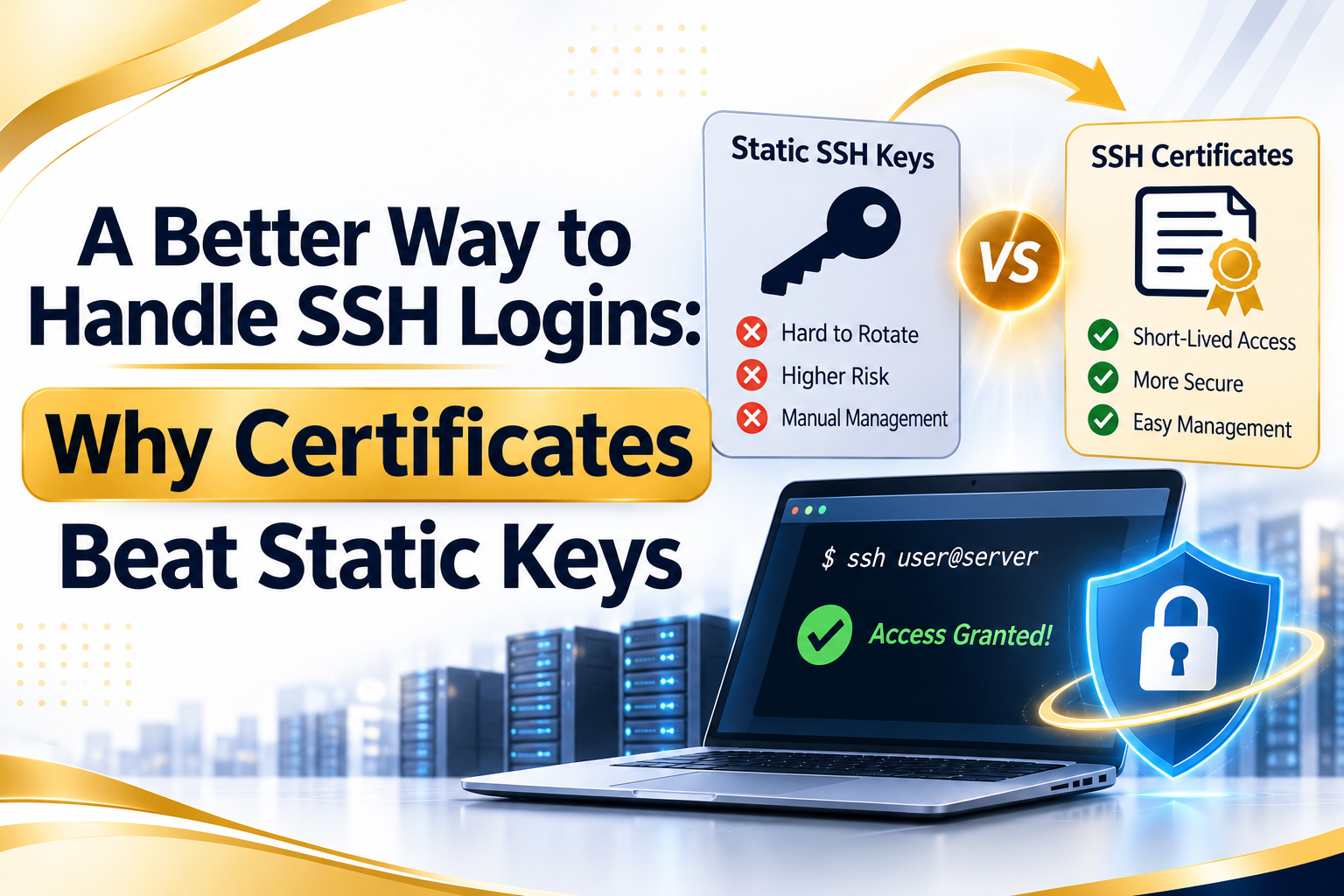
A static key pair has no expiry date, no built-in owner, and no record of why it was approved. The server’s authorized_keys file lists the public half and trusts it indefinitely. That trust model creates several recurring problems.
Offboarding is the first. When an engineer leaves, someone must find and delete that person’s key on every server it was installed on. Miss one machine and access persists. Inventory is the second: no central view shows which keys exist where, so audits devolve into scripts that scrape files across hundreds of hosts. Third is the exposure of private keys themselves. A key stored unencrypted on a laptop, backed up to cloud storage, or copied between machines stays valid wherever it travels.
Host verification suffers too. The familiar prompt asking whether to trust an unknown host fingerprint teaches people to type yes without checking, which leaves the door open to man-in-the-middle attacks. Known_hosts files grow stale as servers are replaced. Every one of these issues comes from the same root: trust is distributed across thousands of individual files instead of being anchored to a single authority that can be managed in one place.
Operational drag adds up as well. Teams often discover that engineers keep a separate key per laptop, per cloud account, and per hosting provider, with no naming convention to tell them apart. When a laptop is replaced or lost, nobody can say with confidence which keys were on it. Compliance reviews then ask for evidence of access removal, and assembling that proof by hand consumes days that could have gone to real work.
How Certificate-Based Authentication Works
SSH certificate authentication adds one component to the familiar key pair: a certificate authority, or CA. The CA is itself just a key pair. Its private half signs the user’s public key, producing a certificate that records the user’s identity, the usernames they may log in as (called principals), a validity window, and optional restrictions such as permitted source addresses or forced commands.
Servers are configured once to trust the CA’s public key through the TrustedUserCAKeys directive. When a user connects and presents a certificate, the server checks the signature, confirms the certificate has not expired, and verifies the principal matches an allowed login. No per-user entry in authorized_keys is needed. A new engineer receives a certificate and can reach every server that trusts the CA, subject to the principals encoded in it.
The same mechanism works in reverse for hosts. The CA signs each server’s host key, and clients are told to trust the CA through a @cert-authority line in known_hosts. Users stop seeing fingerprint prompts, because any host presenting a valid certificate from the trusted CA is recognized automatically. A rogue machine without a signed certificate stands out immediately, which closes the door on the trust-on-first-use weakness described above.
Short-Lived Credentials and Central CA Management
The strongest benefit of SSH certificate authentication is that certificates can expire quickly. Instead of a key that lives for years, an engineer may receive a certificate valid for eight hours, or even a few minutes, issued after authenticating to the company identity provider with multi-factor checks. When the window closes, the credential is useless, even if a laptop is stolen or a file is leaked. Offboarding becomes largely automatic: if the identity provider stops issuing certificates, access ends within the lifetime of the last one.
Central CA management shifts responsibility to one place, which is both the attraction and the main risk. The CA private key must be protected carefully, ideally kept offline or inside a hardware security module or a managed signing service, since anyone holding it can mint access to every trusting server. Many teams use an intermediate arrangement: a signing service that checks identity and policy, then issues short-lived certificates without exposing the CA key to users.
Policy can also be expressed in certificate fields. Different principals map to different roles, such as a read-only account for support staff and an administrative account for the platform team. Extensions can disable port forwarding or agent forwarding for a given certificate. Auditors benefit as well, since each certificate carries an identifier and serial number that can be logged at issuance and matched against server authentication logs later.
Revocation and Handling Failure
Short lifetimes reduce the need for revocation, though they do not remove it. Suppose an engineer’s certificate is stolen with six hours left. Waiting for expiry may be unacceptable, so OpenSSH offers the RevokedKeys directive, which points the server at a list of revoked keys or certificate serial numbers. Distributing that file to all servers quickly requires automation, and teams often push updates through configuration management.
Designs that keep certificate lifetimes to minutes make this step rare. A stolen certificate becomes worthless before an attacker can use it meaningfully, and the revocation list stays small. For longer-lived certificates, a strict serial numbering scheme is worth setting up from the beginning, because revoking by serial is far simpler than hunting for individual keys.
Compromise of the CA itself is the severe case. Recovery means generating a new CA, distributing the new public key to every server and client, and retiring the old one, so planning for rotation before it is needed pays off. Maintaining the ability to trust two CAs briefly during transitions avoids lockouts. Practicing the procedure in a test environment reveals missing steps while the stakes are low. Alerting on authentication attempts that use revoked or expired certificates also helps, since repeated failures can reveal a leaked credential being tried.
Setting Up Certificate Login Step by Step
The configuration is smaller than many teams expect. A typical rollout follows this order:
- Generate a CA key pair with ssh-keygen, and store the private key somewhere tightly controlled.
- Copy the CA public key to each server and add TrustedUserCAKeys with its path in sshd_config.
- Sign a user’s public key using ssh-keygen -s, setting the identity, principals, and a short validity period with the -V option.
- Optionally define AuthorizedPrincipalsFile on servers to map principals to local accounts.
- Sign host keys with the CA, set HostCertificate in sshd_config, and add a @cert-authority entry to clients’ known_hosts.
- Add a revocation list through RevokedKeys, then test a revoked and an expired certificate.
- Remove old authorized_keys entries once certificate login is confirmed working.
Running the old and new methods in parallel during the transition prevents lockouts. Teams commonly start with a single environment, such as staging, before expanding. Automating issuance through an identity-aware signing service removes the manual signing step, so users never handle the CA at all, and that automation is what makes the approach practical beyond a few dozen people.
Documentation closes the loop. Record where the CA key lives, who may operate the signing service, what the standard certificate lifetime is, and how rotation works. Short runbooks matter most during an incident, when the person who built the system may be unavailable and a colleague has to issue, revoke, or replace credentials without guesswork.
Key Takeaways
Static SSH keys trade long-term convenience for sprawl, weak offboarding, and little visibility. Certificates replace that trust scattered across files with a single authority, encode identity and permissions directly, and expire on their own. Host certificates also remove the fingerprint-prompt habit that undermines server verification.
The model asks for care in a few places: protect the CA key, keep lifetimes short, plan for revocation and CA rotation, and migrate gradually. Infrastructure teams that manage more than a handful of servers or users will generally find that the setup effort is repaid quickly in simpler audits and cleaner access reviews.

Senior Content Manager at TrendusAI
Rashida Hanif is a content strategist at Trendusai.com, creating informative articles on artificial intelligence, emerging technologies, and digital solutions. She focuses on delivering valuable insights that help readers understand AI innovations, software development, and technology trends.