

In today’s digital world, images have become one of the most dominant forms of communication. We see them on social media, news websites, online stores, and messaging apps. Most people scroll past them without a second thought. But occasionally a photo stops you: a landmark you cannot place, a product you want to buy, or a face you almost recognize. They are the most common way of driving engagement. That moment of curiosity is precisely what image search is designed for. Instead of searching for the right words, you use the picture itself to find what you are looking for.
This guide will explain image search techniques in simple and clear language. You will learn what image search is, how it works, which tools are available, and how to use them correctly.
What Is Image Search?
Image search is a technology that enables users to locate images and related information online by using an image as the starting point. Instead of typing keywords like “blue running shoes,” you upload a photo of the shoes and let the system do the rest. The search engine analyzes the image and returns similar pictures, product links, or related information.
There are two main ways to use image search. The first is to find images by typing words, the traditional method most people already know. The second is to upload an image or use a camera to search, which is the more advanced and growing method. This guide mostly focuses on the second type, since it is newer and often misunderstood.
Many users struggle with image search because they expect instant, perfect results. The truth is, image search works best when you understand how it functions and which technique to apply for your specific need.
How Image Search Works
When you upload a photo to a search engine, the system does not look at it the way a human does. Instead, it breaks the image down into data. It reads colors, shapes, edges, textures, and patterns. These visual signals are converted into numbers called feature vectors. The system then compares these numbers against billions of stored images in its database.
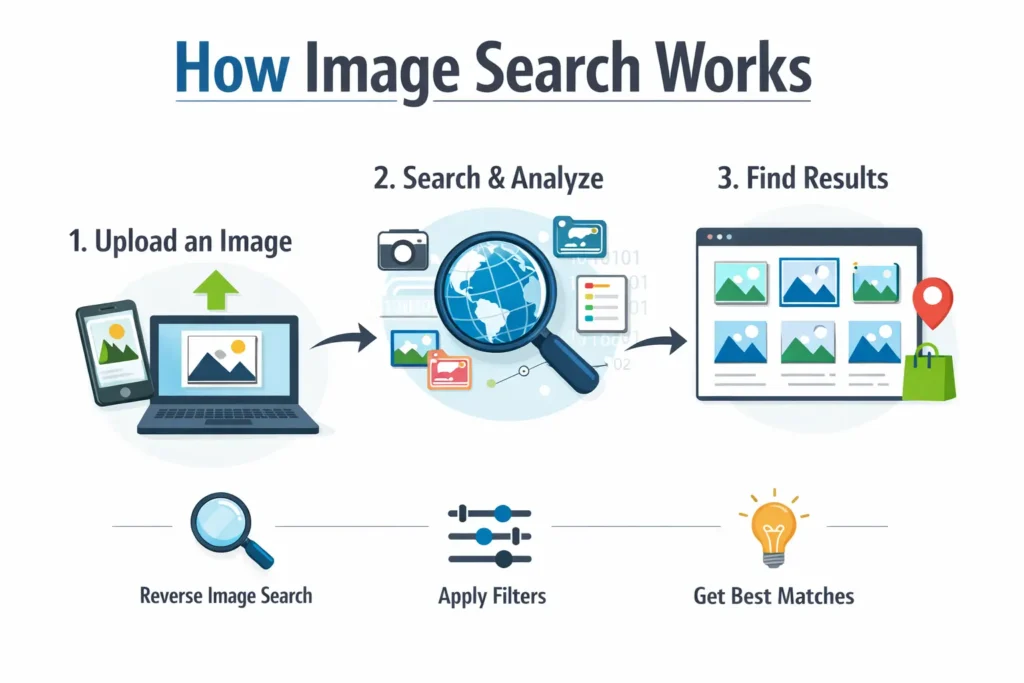
This entire process depends on image algorithms. Older algorithms like SIFT (Scale-Invariant Feature Transform) and SURF (Speeded-Up Robust Features) were used in early image recognition systems. They worked by identifying specific edges and corner points in images. These methods were useful for logos and simple patterns, but they struggled with complex images like fashion items or crowded backgrounds.
Modern image search systems use deep learning advancements, specifically Convolutional Neural Networks (CNNs) and advanced models like ResNet and VGG. These models are trained on massive datasets like ImageNet, which contains millions of labeled images. After training, these models can recognize objects, understand scenes, and even measure the relationship between different visual elements.
The result is a system that can tell the difference between a formal white shirt and a casual white t-shirt, even when both look similar to the human eye. The system uses similarity scoring to rank results. The most visually or contextually similar images appear first.
Types of Image Search Techniques
There are several different image search techniques, and each one solves a specific type of problem. Knowing which one to use will save you time and give you better results.
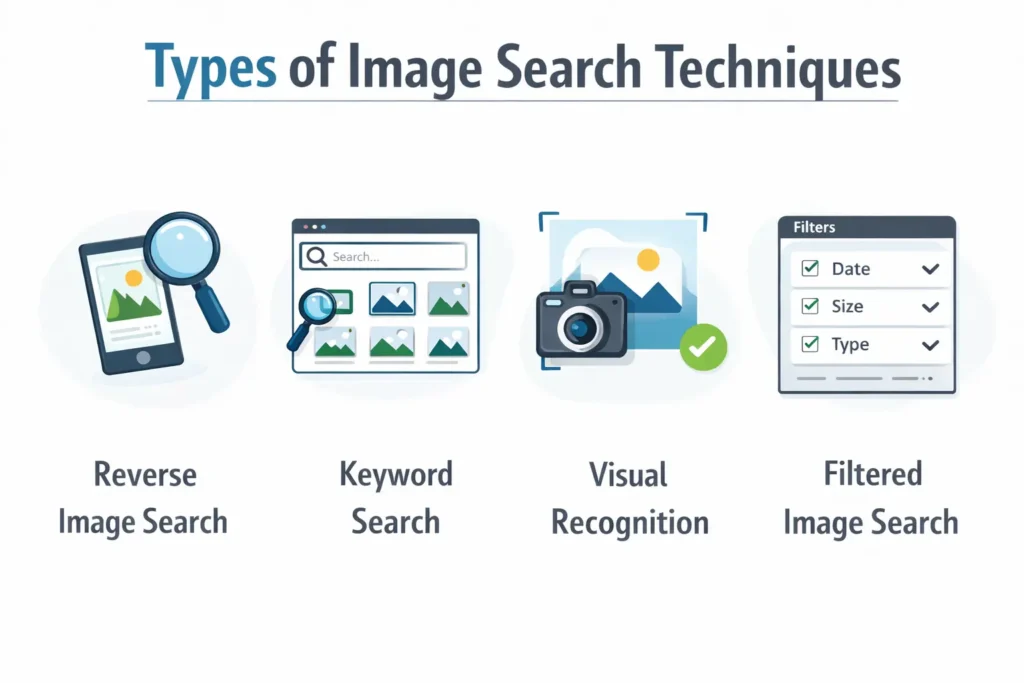
Keyword-Based Image Search
This is the simplest and oldest technique. You type words into a search engine, and it returns images that match your description. Google Images and Bing both offer this. The results depend on how images are labeled, titled, and described on websites. This method works well when you already know what you are looking for. However, it fails when you don’t know the exact name of an object or product.
Reverse Image Search Techniques
Unlike traditional search, reverse image search starts with a photo rather than words. You upload a file, paste a URL, or drag and drop an image directly into the search interface. From there, the system scans the web to locate where that image appears, identify visually similar results, or trace it back to its original source.
Tools like Google Images, TinEye, and Yandex Images are commonly used for reverse image search. TinEye is especially useful for tracking where a photo appears online. Yandex images are known for strong facial recognition results. Google Images combines both object recognition and web crawling to find similar visuals. For a deeper look at how these tools compare, you can read this complete image search techniques guide.
This technique is very useful in several real-life situations.
- Verifying News: If you want to check whether a news photo is real or reused from an old story, reverse image search reveals its source.
- Tracking Copyright: If someone is using your photo without permission, you can track it down.
- Shopping: If you see a product on social media but do not know its name, uploading the image can lead you directly to the seller.
Visual Similarity Search
This technique does not look for exact copies of an image. Instead, it finds images that look visually similar. Pinterest Lens is one of the most well-known tools for this type of search. You upload a photo of a sofa, and the system returns other sofas in different colors, styles, and price ranges.
This technique is extremely useful in fashion, home decor, and interior design. Shoppers use it to discover alternatives when they cannot find the exact product. Designers use it to explore visual styles and color combinations. The algorithm focuses on shapes, colors, and overall composition rather than exact pixel matching.
Object Recognition Search
Sometimes users want to search for a specific object inside an image rather than the whole picture. Bing Visual Search offers this feature. You can draw a selection box around one item, like a watch worn by someone in a photo, and search only for that object.
This technique uses object detection algorithms that can identify and isolate individual items within a scene. It solves a specific pain point: the full image contains too much visual noise, and only one part is relevant to the search.
Face Recognition Search
Face recognition is one of the most powerful and sensitive image search techniques. Search engines like Yandex are known for returning results based on facial features. This is used in identity verification, finding lost persons, fraud detection, and journalistic investigation.
However, facial recognition also carries serious privacy concerns. Its use must follow legal and ethical guidelines. Many countries have regulations about how facial recognition data can be stored and used.
Real-Life Problems Image Search Techniques Solve
Understanding the theory is helpful, but seeing how image search techniques work in everyday life makes it much clearer. The rise of AI-powered search tools has made these techniques accessible to everyone, not just tech experts.
Online shoppers face this situation constantly. They scroll through social media and see a jacket they love, but cannot describe it well enough to find through a keyword search. Uploading the screenshot into Google Lens or Pinterest Lens immediately shows similar products, prices, and stores. This removes frustration and saves time.
Journalists and fact-checkers depend on reverse image search techniques to verify whether a photo is real. During news events, old or edited images often spread as current. By uploading the photo to TinEye or Google Images, researchers can find the original publication date and source. This helps stop the spread of misinformation.
Photographers and content creators use image search to protect their work. If someone copies and uses their photo without credit, a quick reverse image search reveals every website where the photo appears. This helps in copyright enforcement and legal action.
Students and researchers use image search to find diagrams, scientific illustrations, and educational charts. When a visual appears in a book or presentation, uploading it to a search engine can find the source and related resources.
Businesses use image search for competitive research. By uploading a competitor’s product photo, a brand can see how similar items are priced and presented across the internet.
Case Study: How an Online Fashion Store Used Visual Search to Grow Sales
A small fashion store was losing potential customers. People would contact the support team, saying they had seen a product on Instagram or in a magazine, but when they searched the website by keyword, they could not find it. The store’s keyword-based search failed because customers used different words or incomplete descriptions.
The store decided to add a visual search feature powered by deep learning algorithms. If you are a business thinking about doing the same, working with the right AI development partner can make this process much easier. The new system allowed customers to upload any image: a screenshot, a photo, or even a camera snapshot. The AI model analyzed the uploaded image and matched it against the store’s product catalog using feature extraction and similarity scoring.
The results after three months were measurable and clear. More customers discovered products without needing the right words. The time spent searching on the website dropped significantly. Fewer support tickets were raised about products that were “impossible to find.” Sales conversions improved because the path from discovery to purchase became shorter and smoother.
This case study shows that image search techniques do not only benefit large companies. Even small businesses can use AI-powered visual search to solve real customer problems and improve the overall shopping experience.
Best Practices for Using Image Search Techniques
Many users become frustrated with image search because they do not use it correctly. Small mistakes can lead to poor results.
Always upload clear and high-resolution images. Blurry or pixelated photos reduce accuracy because important visual features are missing. Heavy cropping also removes context that the algorithm needs to make accurate comparisons. If possible, use the full image rather than a tightly cropped version.
Try more than one search engine. Google Images, Yandex, and TinEye index different parts of the internet. A search that fails on one tool may succeed on another. Using multiple tools increases your chances of finding the right result.
Combine image search with keywords when the platform allows it. Some tools let you upload an image and also add descriptive text. This gives the system more signals to work with and narrows down results more precisely.
Use the filters available on each platform. Most image search tools allow you to filter results by image size, color, date, and usage rights. These filters help you find exactly what you need rather than scrolling through hundreds of irrelevant results.
If you are using reverse image search to check for copyright or source verification, try multiple tools before concluding. Some images may only appear in databases that specific tools can access.
The Future of Image Search Techniques
Image search is becoming more intelligent every year. Deep learning models are improving rapidly, and the gap between machine vision and human understanding is getting smaller.
In the near future, users may be able to point a phone camera at a restaurant dish and instantly receive the recipe, nutritional information, and names of nearby restaurants serving the same meal. Augmented reality (AR) glasses may allow people to identify products, landmarks, and even plants in real time simply by looking at them.
AI models will also become better at understanding the full context of an image. Right now, systems are strong at recognizing objects. We can already see how agentic AI is transforming industries in 2026, and image search is no exception. Soon, these systems will better understand relationships between objects, emotions in a scene, and even cultural context.
However, as these tools become more powerful, the concerns around privacy, security, and ethical use grow as well. Facial recognition, in particular, must be carefully regulated. The collection and storage of visual data require strong legal frameworks to protect individuals.
Search engines and technology companies will need to balance innovation with responsibility. Users, on the other hand, should stay informed about what image search tools can and cannot do — and use them thoughtfully.
Conclusion
Image search techniques have changed the way people find information online. From reverse image search techniques that verify fake news to visual similarity search that helps shoppers discover products, these tools solve real problems that keyword search cannot. Understanding how image algorithms work, which tools to use, and when to apply each technique gives you a significant advantage online.
Whether you are a beginner just starting to explore these tools or someone looking to use image search more effectively, the key is practice. Try uploading images, test different tools, and observe how results change depending on image quality and search method. As image search techniques continue to evolve, the users who understand them will always have better and faster access to the information they need.
FAQ
Q1. What are image search techniques in simple words?
Image search techniques are different methods used to find information or pictures online by uploading a photo or using a camera instead of typing keywords. Each technique is designed for a specific type of search need.
Q2. What are reverse image search techniques?
Reverse image search techniques allow you to upload an image to find its source, locate where it appears online, or discover visually similar pictures. Tools like TinEye, Google Images, and Yandex are used for this purpose. You can also explore this complete image search techniques guide.
Q3. How do image algorithms work for beginners?
Image algorithms analyze visual features like colors, shapes, edges, and textures. They convert these features into numbers and compare them with stored images. Modern systems use deep learning models such as ResNet and VGG to recognize objects and measure similarity between images. To understand more about how AI works behind these tools, check out this AI development guide.
Q4. Which tool is best for reverse image search?
Google Images is the most widely used tool for reverse image search. TinEye is better for tracking where an image appears online. Yandex Images is known for its strong facial recognition results. Using all three gives the most complete results.
Q5. Can beginners easily use image search techniques?
Yes. Most image search tools are simple to use. You either upload a photo, paste an image URL, or use a camera. Google Lens and Pinterest Lens are especially beginner-friendly. The more you practice, the better your results will be.

Senior SEO Content Marketing Manager at Trendusai.com
Rashida Hanif is a Senior SEO Content Marketing Manager at Trendusai.com, specializing in data-driven content strategy and SEO. She helps brands improve online visibility through keyword research, content planning, and AI-powered marketing insights.