
Your Stories get seen on Instagram, then they’re gone in 24 hours. Meanwhile, your website still shows a banner from last spring. Sound familiar? The EmbedSocial Instagram Story Viewer is a website widget that plays your own Stories on your pages and refreshes them when you post. It can’t open anyone else’s Stories, so it won’t help if you want to watch quietly. This EmbedSocial review covers setup, pricing, privacy limits, fixes, and how the tool compares with Elfsight and SociableKIT. Came here to view Stories without being seen? Read the first section. It saves you a sign-up.
Quick Verdict
| Item | Detail |
| Best for | Businesses with an Instagram Business or Creator account that want Stories on their site |
| Price starting from | $29 per month for EmbedStories, up to $99 depending on the number of Instagram accounts |
| Free options | A free version and a free trial are listed |
| Pros | Official API connection, story-style layout, WordPress plugin |
| Cons | No anonymous viewing, no personal accounts, price climbs with account count |
| Our take | Start the free trial and judge the widget on your own pages |
Prices move around. Confirm each figure with EmbedSocial before you pay.
What Is EmbedSocial Instagram Story Viewer?
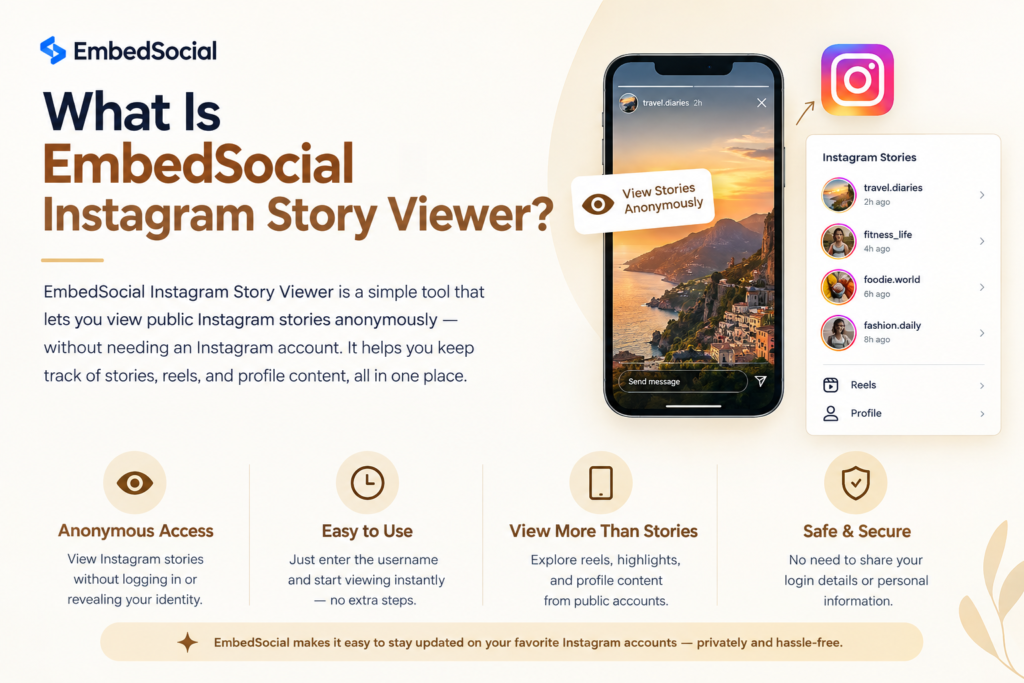
Search for EmbedSocial Instagram Stories, and you’ll land on a product called EmbedStories. It’s a website widget. You connect your Instagram account, and your Stories play on your site in a story-style widget, tap by tap, just like in the app.
EmbedSocial sits inside a bigger toolset. The company describes itself as a platform for user-generated content (UGC) that gathers feeds, reviews, photos, and Stories and places them on any website. Stories are one tool in that box.
Some people call the result an Instagram Story Viewer widget. Others file it under a social media widget. The label matters less than the job: your Stories, on your pages.
Is Instagram Story Viewer Anonymous?
Two kinds of people land on this topic. Business owners want Stories on a site. Everyone else wants a quiet peek at a profile.
The widget only helps the first group. It shows Stories from the account you connect to. It can’t open a private profile, a rival’s page, or an ex’s Stories. It won’t hide your name either, because it doesn’t watch anything on your behalf.
How to View Instagram Stories
Open the Instagram app and tap the colored ring around a profile photo. The poster can see who watched. No widget changes that rule. If a site promises anonymous viewing and asks for your Instagram password, close the tab.
How Does EmbedSocial Work? The Meta Graph API Explained
The widget reads your Stories through the Meta Graph API, also called the Instagram Graph API. Meta decides what any outside tool can pull from Instagram. EmbedSocial says it uses official API integrations with the major social networks.
Account Rules
You need an Instagram Business or Creator account. Personal accounts can’t connect because the Graph API doesn’t open them to outside tools. You also have to connect Facebook Page access to that Instagram account.
Then you log in with Facebook and give the tool permission to read your Instagram content. To change account type, open Instagram settings and tap Account type. It takes a minute.
Story Synchronization
Once connected, the tool fetches new Stories. EmbedSocial’s WordPress plugin page says a new photo or video shows up in the widget within a few minutes. Plan for that gap when you test.
The plugin also lists automatic archiving, plus settings to show Stories from a set date and to order them by date. Instagram deletes a Story after 24 hours. An archive gives your page something to show on quiet days.
How to Embed Instagram Stories on a Website: Setup Guide
Four moves get you live: connect, customize, embed, test. You can embed Instagram Stories on website pages without writing code. Dashboard labels change, so match the steps loosely.
Here’s how to add the EmbedSocial Instagram Story Viewer to a page.
- Connect your account. Sign up with EmbedSocial and add a new Stories source. Log in with Facebook and pick the Page tied to your Business or Creator account.
- Customize the widget. Set the layout, autoplay timing, title, and navigation. The plugin lists autoplay interval, custom title, and navigation among its settings.
- Copy the embed code. Paste it into a custom HTML block. On WordPress, install the EmbedStories plugin and add the shortcode. The plugin needs an EmbedSocial account.
- Test. Post a fresh Story and wait a few minutes. Reload the page on a phone and a laptop. Clear your cache plugin if nothing changes.
Website integration really is that short. Want posts instead of Stories? EmbedSocial lists a separate feed product for an Instagram feed embed.
Key Features
Here’s what the EmbedSocial Instagram Story Viewer offers, based on public details.
Story-Style Layout and Customization
Visitors tap forward through Stories as they do in the app. The plugin page shows a Story opening in a lightbox, and a gallery can pull from several Stories. You shape the look through the settings above.
Mobile Responsiveness
Stories are vertical, so they suit phones. Test on a real one. A desktop preview can’t show how the widget acts on a slow connection.
UGC Collection and Content Moderation
UGC collection means pulling in customer content, like posts that tag your brand. Content moderation means you approve what appears before the public sees it. EmbedSocial sells itself as a UGC platform, but its tools are split by type. Use the free trial to check whether approval controls exist for Stories on your plan.
Shoppable Stories and Social Wall
A third-party roundup lists shoppable posts and product tags among EmbedSocial’s social commerce features. Ask support if shoppable stories work in the Stories tool. A social wall that mixes several sources belongs to the feed side of the line.
Instagram Stories Highlights
SociableKIT offers a dedicated Highlights widget. I found no confirmation that EmbedSocial handles Instagram Stories highlights the same way. Ask before buying if highlights matter to you.
Analytics and Campaign Reporting
Public detail on campaign reporting for Stories is thin. If you report to clients, ask customer support what the dashboard tracks, and get the answer in writing.
Brand monitoring and competitor research fall outside the job too. The widget shows your Stories only. You’d need a listening tool for the rest.
EmbedSocial Instagram Story Viewer Pricing
EmbedSocial pricing depends on the product and the number of sources. Plans run as a monthly subscription plan, and agencies can ask for custom terms.
How Much Does EmbedSocial Cost?
| Product | Price per month | What sets the price |
| EmbedStories | $29 to $99 | Number of Instagram accounts |
| EmbedFeed | $29 to $99 | Number of sources |
| EmbedReviews | $29 to $99 | Number of review sources |
Does EmbedSocial Offer a Free Trial?
Yes, according to public listings. They show a free version and a free trial. One plugin user says the free version shows a link back to EmbedStories. Expect branding until you upgrade.
Last verified: [add the date you checked]
EmbedSocial vs Elfsight vs SociableKIT
Three tools chase the same job. Here’s the EmbedSocial Instagram Story Viewer next to Elfsight and SociableKIT.
| Feature | EmbedSocial | Elfsight | SociableKIT |
| Price from | $29 per month | $6 per month for the Stories widget | $10 per month, per its own page |
| Free plan | Free version and free trial | 200 views, 1 widget, Elfsight branding | 1 widget, 1 source, 2,000 monthly views, branding, manual sync |
| View limits | Confirm with vendor | Tiers of 5,000, 50,000, 150,000 views and up | Unlimited views on the cheapest paid plan, per its page |
| Sync | New Stories appear in a few minutes | Confirm with vendor | Manual sync on free plan |
| Support | Live chat, email, knowledge base, video tutorials | Free installation service | Confirm with vendor |
| Platforms | Embed code, WordPress plugin | Embed code | Guides for Mailchimp, Weebly, Framer and more |
EmbedSocial vs Elfsight, Which Is Better?
They bill differently. Elfsight prices by apps and monthly page views. EmbedSocial lists its Stories price by number of Instagram accounts.
A small site with one account may fit Elfsight’s low tiers. A busy site with many pages should price both tools at its real view count. Confirm EmbedSocial’s view limits first, then run the numbers.
EmbedSocial vs SociableKIT
SociableKIT leads with a free plan that has no end date. Its Stories page warns that expired Stories may drop out of the widget. EmbedSocial lists an archive, so check how long your Stories stay visible during a trial.
SociableKIT’s prices come from its own pages, so read them as vendor claims. Connect the same account to both tools and compare the look on your site.
EmbedSocial Instagram Story Viewer Pros and Cons
Pros
- Connects through Meta’s official API.
- Layout your visitors already know.
- Archive and date settings on the plugin.
- WordPress plugin, plus embed code for other sites.
- Free version and free trial listed.
- Support by live chat, email, and video tutorials.
Cons
- Needs a Business or Creator account and a Facebook Page.
- Can’t show other people’s Stories.
- Price rises with the number of accounts.
- View limits and reporting details aren’t clear in public listings.
- The free version carries branding.
Best Use Cases
An Instagram Story Viewer for business pays off where content changes fast. The EmbedSocial Instagram Story Viewer fits those cases best.
E-commerce. Product drops and sale reminders can sit right on a product page. That’s social proof for e-commerce with no extra design work. Ask support about shoppable stories if you want product tags.
Hotels. Seasonal offers, room tours, and event notices stay current on a booking page.
Restaurants. Daily specials and weekend menus update without a web developer.
Agencies. Teams with several client sites should ask about agency plans. Price grows with accounts, so cost out the full client list first.
UGC and social proof. Tagged customer posts build trust on landing pages. Get permission before you republish anything.
Who Should Not Buy EmbedSocial Instagram Story Viewer
Skip it if you only have a personal Instagram account. Skip it if you want anonymous viewing, since the widget doesn’t offer that.
Skip it if you post Stories once a month. A stale widget looks worse than none. Skip it if you need competitor research.
Skip it if your budget is zero. SociableKIT and Elfsight both list free plans, with branding and view caps. Those work for a small test.
Privacy, Anonymity, and Meta Rules
The EmbedSocial Instagram Story Viewer follows Meta’s rules, so most privacy limits come from Instagram, not the vendor. Three matter most.
Personal accounts don’t work because the Graph API serves Business and Creator accounts. Story views aren’t anonymous, because Instagram tells the poster who watched. And Stories vanish after 24 hours on Instagram, so your widget depends on sync and archive settings.
GDPR deserves a look if you serve visitors in Europe. An embedded widget loads outside code, and that code may set cookies. Read EmbedSocial’s privacy documents and check your cookie banner. Ask a lawyer about your own case.
Impact of EmbedSocial Instagram Story Viewer on Website Speed
Every embed adds a script. That adds weight and can hurt page load speed. I found no public speed test for this widget, so measure your own pages.
Search engines that don’t run widget code may never see what the widget shows. Don’t count on Stories for SEO text. Keep your main copy in plain HTML.
Run a speed test before and after you add the widget. Place it low on the page, away from your headline. If scores drop, move the widget to a page where Stories matter most. Slow pages can cost you website engagement.
Common Issues and Quick Fixes
Most problems with the EmbedSocial Instagram Story Viewer come from account setup, not the widget itself.
| Problem | Likely cause | Fix |
| Stories not showing | No active Story in the last 24 hours, or the wrong account type | Post a Story and check that the account is Business or Creator |
| Token expired | Login permission lapsed after a password change or access was removed | Reconnect the account through Facebook |
| Sync delay | Updates take a few minutes | Wait, reload, and clear the cache |
| Incomplete content | Widget settings filter by date or order | Open the settings and check the date filter |
| Old version on the page | Cache plugin or CDN holds the old page | Clear the cache and test in a private window |
Still stuck? Contact customer support with a screenshot and your page link.
Tips to Get Better Results
Once the EmbedSocial Instagram Story Viewer is live, treat it like any page element. Test it.
Try different story formats. Short videos, product photos, and text slides behave differently. Post a mix for two weeks and watch what visitors tap.
Add UGC signals. Tagged customer posts show real people using your product. Ask permission first.
Keep a posting schedule. Fresh Stories help website engagement. One analysis of several Instagram accounts found that Stories often reach less than half the audience that posts do. Showing them on your site gives them a second home.
Use the archive for content planning. Look back at which Stories got taps and plan next week around them.
Free and Cheaper Alternatives
What is the best Instagram Story Viewer widget? No single tool wins for everyone. Match the tool to your traffic, budget, and account count.
| Tool | Free option | Paid from | Note |
| SociableKIT | 1 widget, 2,000 monthly views | $10 per month, per page | Stories and Highlights widgets |
| Elfsight | 200 views, 1 widget | $6 per month | Price follows monthly views |
| EmbedStories plugin | Free version | Confirm with vendor | Needs an EmbedSocial account |
| Curator.io | Confirm with vendor | Confirm with vendor | Lists Stories, Reels, and posts |
When you review Instagram Story Viewer alternatives, use one test. Connect one account, embed one widget, and check the look on a phone.
Final Verdict and Free Trial Recommendation
Is EmbedSocial Worth It?
The EmbedSocial Instagram Story Viewer suits businesses that post Stories often and hold a Business or Creator account. It puts a live strip of your own Stories on your site. The official API link and the WordPress plugin keep the work light.
It won’t suit anonymous viewers, personal accounts, or tight budgets. Public details on view limits and reporting are thin, so ask support before you commit.
Start the free trial. Connect one account, embed one widget, and watch it for a week. Check sync timing, page speed, and the look on phones. Then compare monthly cost with Elfsight and SociableKIT at your real traffic.
FAQs
Is EmbedSocial Instagram Story Viewer anonymous?
No. The widget shows your own Stories on your site. It doesn’t let you watch other people’s Stories, and Instagram tells posters who viewed theirs.
Does EmbedSocial Instagram Story Viewer work with personal accounts?
No. You need an Instagram Business or Creator account linked to a Facebook Page. Personal accounts can’t connect through the Graph API.
Is there a free plan or free trial?
Public listings show both. The free version may display branding. Confirm current terms with EmbedSocial.
Why are my Instagram Stories not showing?
Check four things. Is there an active Story from the last 24 hours? Is the account Business or Creator? Did the Facebook login expire? Is a cache holding an old page? Reconnect the account if the token expired.
EmbedSocial vs Elfsight, which is better?
Neither wins for every site. Elfsight prices by monthly views. EmbedSocial lists prices by number of Instagram accounts. Compare both at your own traffic.
Does it slow down my site?
Any embed adds a script, so expect some extra load. No public speed test has turned up for this widget. Test your pages before and after.
Can I view Instagram Stories anonymously?
Instagram doesn’t offer anonymous viewing. Posters can see who watched. Avoid sites that ask for your Instagram login.
How much does EmbedSocial cost?
Public listings show EmbedStories from $29 to $99 per month, based on the number of Instagram accounts. Check with EmbedSocial for current pricing.

Senior SEO Content Marketing Manager at Trendusai.com
Rashida Hanif is a Senior SEO Content Marketing Manager, specializing in data-driven content strategy and SEO. She helps brands improve online visibility through keyword research, content planning, and AI-powered marketing insights.