
Remember the dark ages of remote work? The year 2020. We were all just happy to see each other in little boxes on a screen. But the novelty wore off fast. “Zoom fatigue” became a real thing. Meetings felt unproductive. Tech glitches were the norm. Fast forward to 2026. The game has completely changed. Artificial intelligence is no longer a futuristic buzzword; it’s the silent, powerful partner in every single video call. It’s the co-pilot you never knew you needed. This isn’t just about better filters or virtual backgrounds. This blog pulls back the curtain on the AI-driven video conference tips that are making our virtual meetings smarter, faster, and genuinely more human.
The Pre-Meeting Power-Up: AI Sets You Up for Success
The best meetings start before anyone even clicks “Join.” In 2026, AI handles the grunt work, transforming your online meeting setup from a checklist into an automated process.
Smart Scheduling That Actually Works
Forget the endless email chains trying to find a time that works for everyone, especially across time zones. Your AI assistant, integrated directly into your video conferencing tools, is now a scheduling genius. It scans everyone’s calendars, understands personal working preferences (like deep work blocks), and even predicts optimal meeting times based on team productivity data. It proposes three ideal slots, and with one click, the meeting is set. The AI even sends out pre-meeting reminders according to each attendee, summarizes the agenda and what they need to prepare. This is a core digital meeting productivity tip that saves hours every week.
The AI Agenda Builder
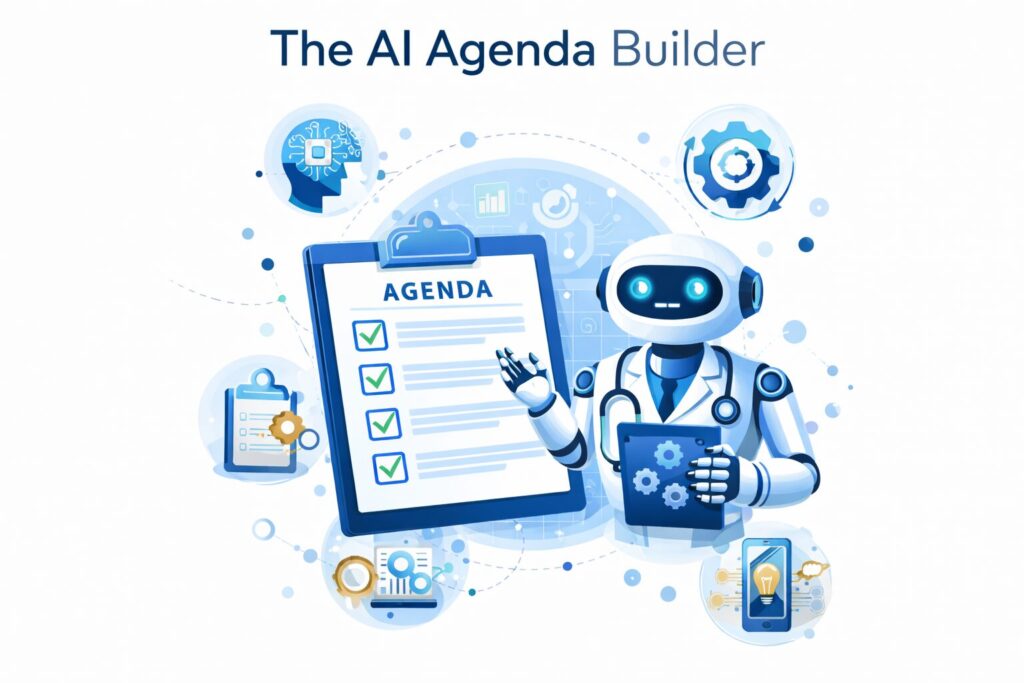
A meeting without a clear agenda is a waste of time. We all know this. But building a good agenda takes effort. Not anymore. AI agenda builders are here. You simply input the meeting’s goal, like “Q3 Marketing Strategy Review.” The AI then scans related documents, including past meeting notes, project updates in Asana, relevant Slack channels, and performance reports. It generates a structured agenda with key talking points, allocates time for each, and even suggests pre-reading materials for attendees. This ensures everyone shows up on the same page, ready to contribute. It’s one of those online meeting improvement tips that feels like magic. The underlying capability that makes this possible is sophisticated generative AI development, which enables systems to synthesize information from multiple sources and produce structured, context-aware outputs in seconds.
The Pre-Flight Tech Check
We’ve all been there: “Can you hear me now?” In 2026, that phrase is a relic. Your AI runs a full diagnostic a few minutes before the meeting. It tests your microphone for clarity, checks your camera’s resolution and lighting, and analyzes your internet bandwidth for stability. If there’s an issue, it doesn’t just flag it. It offers solutions. “Your Wi-Fi is unstable. Switching to your phone’s hotspot will improve call quality.” or “The lighting behind you is too bright. Try moving your lamp to the side.” These proactive video call quality tips happen in the background, ensuring you join the meeting looking and sounding your best, without the stress.
In-Moment Magic: Real-Time AI Intervention
This is where the real revolution happens. During the meeting itself, AI works silently to enhance communication, enforce etiquette, and keep things on track. These are the effective video meeting guidelines in action.
Real-Time Transcription and Translation
Language barriers are crumbling. Imagine a global team meeting with people in Tokyo, London, and New York. As the person in Tokyo speaks, their words are instantly transcribed with near-perfect accuracy and translated into English and Japanese on everyone’s screens. This isn’t just subtitles. It’s a fluid, real-time conversation powered by advanced Natural Language Processing (NLP). It allows for nuanced discussion without awkward pauses for translation. This technology is a game-changer for global collaboration and a prime example of powerful remote communication strategies.
Businesses looking to build or embed this kind of capability into their own platforms can benefit from working with a specialized AI development team that understands the complexity of multilingual NLP at scale.
The “Speaker Coach” in Your Ear
Public speaking is hard. AI is now your private public speaking coach. Using your computer’s microphone, the AI analyzes your vocal patterns in real-time. It gives you subtle, private feedback through a small icon on your screen. Are you talking too fast? A turtle icon appears. Are you using a lot of filler words like “um” and “ah”? A small counter might pop up. It can even track your eye contact with the camera, nudging you to look up from your notes to engage with the audience. This real-time coaching is one of the most impactful Video Conference Tips for building confidence and clarity.
AI-Powered Noise Cancellation and Framing
Standard noise cancellation just mutes background noise. The AI in 2026 does something far more intelligent. It uses spatial audio to isolate your voice from everything else. A dog barking, a doorbell ringing, construction outside, it’s all filtered out so cleanly, it’s like it’s not even happening. The AI also manages your video. It uses dynamic framing to automatically zoom in or pan out to keep you perfectly in the frame. If you’re presenting with a whiteboard, it knows to focus on the board. If another person walks into the room, it adjusts to include them. These are the video call quality tips you don’t have to think about, because the AI just handles them.
This level of intelligent, real-time processing is made possible by robust AI automation services that work continuously in the background without any manual input from the user.
Sentiment Analysis: Reading the Virtual Room
Sentiment analysis helps hosts understand how participants feel during a meeting by analyzing tone, facial expressions, and engagement levels. Using these insights as part of your Video Conference tips ensures meetings stay interactive, inclusive, and productive.
The Post-Meeting Wrap-Up: AI as Your Analyst
The meeting ends, but the work doesn’t. AI excels at handling the post-meeting follow-up, turning conversations into action.
Automated Summaries and Action Items
No more scrambling to take notes while also trying to participate. The AI has been transcribing and analyzing the entire meeting. Within minutes of the meeting ending, it generates a concise summary. It highlights key decisions made, lists all action items, and, crucially, identifies who is responsible for each task and by when. This summary is automatically sent to all attendees. It’s one of the most powerful Video Conference tips for ensuring accountability and clarity with AI-powered tools.
The Meeting Scorecard
Want to know if your meetings are actually getting better? AI provides a “meeting scorecard.” It analyzes data like:
- Punctuality: Did everyone start on time?
- Speaking Time: Was the conversation balanced, or did one person dominate?
- Goal Achievement: Was the meeting’s stated goal accomplished?
- Engagement Level: What was the average sentiment score?
This data provides powerful insights for team leaders. It helps identify patterns and implement online meeting improvement tips based on real data, not just a gut feeling. For example, if the scorecard consistently shows that one person is doing 80% of the talking, it’s a cue for the leader to work on facilitating more balanced discussions.
Seamless Workflow Integration
The AI doesn’t just stop at sending an email. It integrates directly with your workflow tools. When it identifies an action item like “Sarah to create a new mockup for the homepage,” it can automatically create a task in Asana, assign it to Sarah, and set the due date. It can add relevant meeting notes to the task description and link to the recording. This seamless integration is a cornerstone of modern remote communication strategies, eliminating manual data entry and ensuring that momentum from the meeting is carried forward.
The Human Touch: Best Practices in an AI World
With all this technology, it’s easy to wonder about the human element. Is AI making us lazy? Is it taking over? The answer is no. AI is a tool, and its effectiveness depends on how we use it. The best virtual meeting best practices still apply.

AI Can’t Fix Rudeness
AI can transcribe words, but it can’t fix a bad attitude. Virtual meeting etiquette is more important than ever. Being respectful, listening actively, and contributing thoughtfully are human skills that AI can’t replicate. In fact, by handling the mundane tasks, AI frees up our mental energy to focus on being more present and empathetic colleagues.
Use Insights to Be Inclusive, Not to Police
The sentiment analysis and speaking-time data should be used to foster inclusion, not to punish people. If the AI shows that someone hasn’t spoken at all, it’s an opportunity for the host to say, “Alex, we haven’t heard from you yet. Would love to get your thoughts on this.” It’s about using data to create a space where every voice is valued.
Balance Data with Intuition
Another essential video conferencing tip is to remember that the AI’s “vibe check” is a guide, not a gospel. You still need to use your human intuition. You know your team. You can read between the lines in a way that AI can’t. The goal is to blend AI’s data-driven insights with your human understanding to lead better meetings.
Conclusion: Your Partner in Productivity
The AI-powered video conference of 2026 is not a cold, robotic experience. It’s the opposite. By automating the tedious, analyzing the complex, and enhancing communication, AI gives us back something precious: our time and attention. It allows us to focus on what truly matters—connecting with our colleagues, solving creative problems, and doing our best work.
The Video Conference Tips of the future are less about remembering to mute your mic and more about leveraging your AI co-pilot. Start exploring the AI features in your current video conferencing tools today. For organizations ready to build or enhance their own AI-powered communication solutions, TrendusAI’s AI development services offer the expertise to turn that vision into reality. The future of work isn’t about humans being replaced by AI. It’s about humans being amplified by it. To stay ahead of the curve on all things AI, visit TrendusAI and explore the full range of resources and solutions available.
Frequently Asked Questions (FAQ)
Q1: What is the single most important AI Video Conference Tip for 2026?
A: Embrace the AI as a co-pilot, not just a tool. The biggest gain comes from letting AI handle pre-meeting setup, real-time transcription, and post-meeting summaries, freeing you to focus entirely on the conversation and human connection.
Q2: How exactly does AI improve video call quality beyond simple noise cancellation?
A: Modern AI uses spatial audio to isolate your voice with incredible precision, filtering out complex background sounds. It also uses dynamic video framing to automatically keep you perfectly in view and adjust focus based on what you’re presenting, making the visual experience seamless and professional.
Q3: Can AI really teach or enforce virtual meeting etiquette?
A: AI can’t teach politeness, but it can guide better habits. Features like a “Speaker Coach” can give you private feedback on your pacing and filler words. Data on speaking time can help leaders ensure everyone gets a chance to contribute. It provides the feedback loop needed to improve etiquette, but the change is still up to the humans.
Q4: Are these advanced AI video conferencing tools expensive and hard to implement?
A: While high-end enterprise solutions exist, many AI features are becoming standard in mainstream tools like Zoom, Microsoft Teams, and Google Meet. The key is to explore and enable the AI features already available in your existing video conferencing tools. The cost of not using them—lost time and unproductive meetings—is often far greater.

Senior SEO Content Marketing Manager at Trendusai.com
Rashida Hanif is a Senior SEO Content Marketing Manager, specializing in data-driven content strategy and SEO. She helps brands improve online visibility through keyword research, content planning, and AI-powered marketing insights.